Adding collision detection to the game framework
Introduction
Our previous exercise enabled us to animate balls in the game framework (this example).
Now we can add the functionality presented in the last lesson, to perform collision tests between a circle and a rectangle. It will be called 60 times/s when we update the position of the balls. If there is a collision between a ball (circle) and the monster (rectangle), we set the ball color to red.
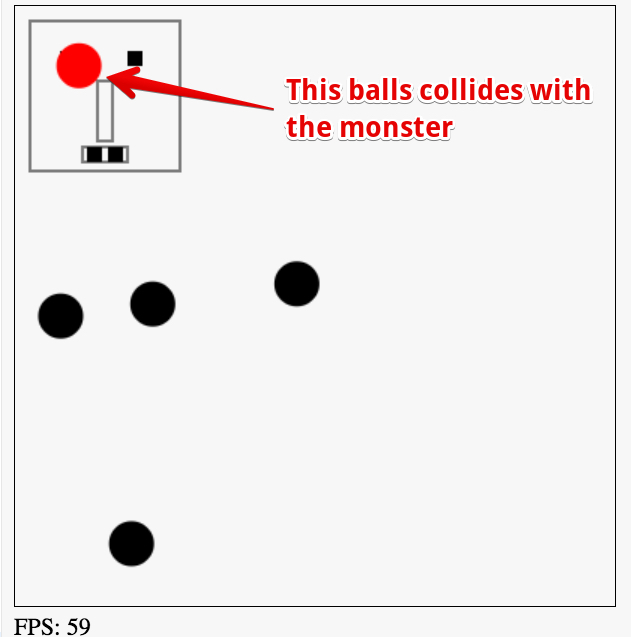
Source code extract:
- function updateBalls(delta) {
- // for each ball in the array
- for(var i=0; i < ballArray.length; i++) {
- var ball = ballArray[i];
- // 1) move the ball
- ball.move();
- // 2) test if the ball collides with a wall
- testCollisionWithWalls(ball);
- // 3) Test if the monster collides
- if(circRectsOverlap(monster.x, monster.y,
- monster.width, monster.height,
- ball.x, ball.y, ball.radius)) {
- //change the color of the ball
- ball.color = ‘red’;
- }
- // 3) draw the ball
- ball.draw();
- }
- }
The only additions are: lines 13-19 in the updateBalls function, and the circRectsOverlap function!
 HTML game