Let’s augment the game framework
This time, we will extract the source code used to create the balls, and include it in our game framework. We will also use time-based animation. The distance that the player and each ball should move is computed and may vary between animation frames, depending on the time-delta since the previous frame.
Try to move the monster with arrow keys and use the mouse button while moving to change the monster’s speed. Look at the source code and change the parameters controlling the creation of the balls: number, speed, radius, etc. Also, try changing the monster’s default speed. See the results.
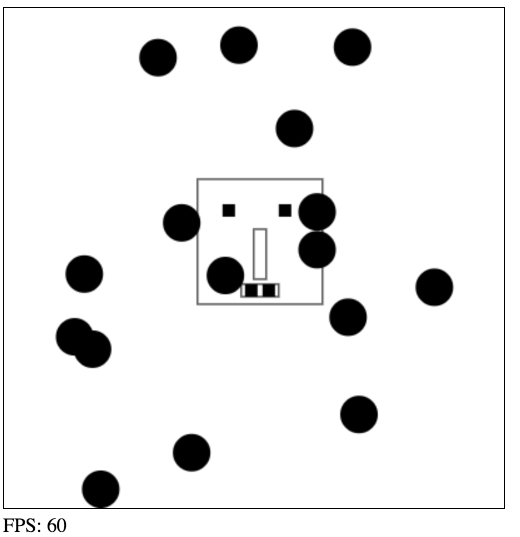
For this version, we copied and pasted some code from the previous example and we also modified the mainLoop to make it more readable. In a next lesson, we will split the game engine into different files and clean the code-base to make it more manageable. But for the moment, jsbin.com is a good playground to try-out and test things…
The new mainLoop :
- var mainLoop = function(time){
- //main function, called each frame
- measureFPS(time);
- // number of ms since last frame draw
- delta = timer(time);
- // Clear the canvas
- clearCanvas();
- // Draw the monster
- drawMyMonster(monster.x, monster.y);
- // Check inputs and move the monster
- updateMonsterPosition(delta);
- // Update and draw balls
- updateBalls(delta);
- // Call the animation loop every 1/60th of second
- requestAnimationFrame(mainLoop);
- };
As you can see, we draw the player/monster, we update its position; and we call an updateBalls function to do the same for the balls: draw and update their position.
- function updateMonsterPosition(delta) {
- monster.speedX = monster.speedY = 0;
- // check inputStates
- if (inputStates.left) {
- monster.speedX = –monster.speed;
- }
- if (inputStates.up) {
- monster.speedY = –monster.speed;
- }
- …
- // Compute the incX and incY in pixels depending
- // on the time elapsed since last redraw
- monster.x += calcDistanceToMove(delta, monster.speedX);
- monster.y += calcDistanceToMove(delta, monster.speedY);
- }
- function updateBalls(delta) {
- // for each ball in the array
- for(var i=0; i < ballArray.length; i++) {
- var ball = ballArray[i];
- // 1) move the ball
- ball.move();
- // 2) test if the ball collides with a wall
- testCollisionWithWalls(ball);
- // 3) draw the ball
- ball.draw();
- }
- }
Now, in order to turn this into a game, we need to create some interactions between the player (the monster) and the obstacles/enemies (balls, walls)… It’s time to take a look at collision detection.
 HTML game