Using IndexedDB: removing data from an object store
Let’s move to the next online example at JSBin:
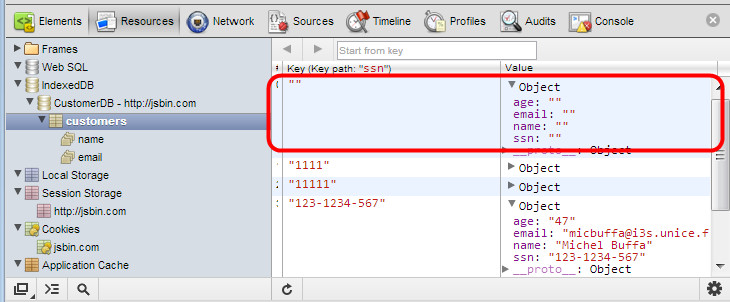
See the changes in Chrome dev. tools: refresh the view (right click/refresh) or press F12 or cmd-alt-i twice. There is a bug in the refresh feature with some versions of Google Chrome.
How to try the example:
- Be sure to click the “create database button” to open the existing database.
- Then use Chrome dev tools to check that the customer with ssn=444-44-444 exists. If it’s not there, just insert into the database like we did earlier in the course.
- Right click on indexDB in the Chrome dev tools and refresh the display of the IndexedDB’s content if necessary if you cannot see customerwith ssn=444-44-444. Then click on the “Remove Customer ssn=444-44-4444(Bill)” button. Refresh the display of the database. The ‘Bill’ object should have disappeared!
Code added in this example:
- function removeACustomer() {
- if(db === null) {
- alert(‘Database must be opened first, please click the
- Create CustomerDB Database first’);
- return;
- }
- var transaction = db.transaction([“customers”], “readwrite”);
- // Do something when all the data is added to the database.
- transaction.oncomplete = function(event) {
- console.log(“All done!”);
- };
- transaction.onerror = function(event) {
- console.log(“transaction.onerror errcode=” +
- event.target.error.name);
- };
- var objectStore = transaction.objectStore(“customers”);
- alert(‘removing customer ssn=444-44-4444’);
- var request = objectStore.delete(“444-44-4444”);
- request.onsuccess = function(event) {
- console.log(“Customer removed.”);
- };
- request.onerror = function(event) {
- alert(“request.onerror, could not remove customer, errcode
- = “ + event.target.error.name + “. The ssn does not
- exist in the Database”);
- };
- }
Notice that after the deletion of the Customer (line 23), the request.onsuccess callback is called. And if you try to print the value of the event.target.result variable, it is “undefined“.
Short way of doing the delete:
It is also possible to shorten the code of the above function a lot by concatenating the different operations (getting the store from the db, getting the request, calling delete, etc.). Here is the short version:
- var request = db.transaction([“customers”], “readwrite”)
- .objectStore(“customers”)
- .delete(“444-44-4444”);
 HTML game