The Shadow DOM
Introduction
The Shadow DOM API provides DOM encapsulation: it serves to hide what is not necessary to see!
- Wikipedia offers a description especially of the “information hiding” aspect
- MDN offers a tutorial in programming JavaScript in the Object-Oriented style: Introduction to Object-Oriented JavaScript
It is not obvious but the Shadow DOM API is already used by browsers’ developers for <audio> or <video> elements, and also for the new <input type=”date”>, <input type=”color”> elements, etc.
The three rules of Shadow DOM:
- With Shadow DOM, elements are associated with a new kind of node: a shadow root.
- An element that has a shadow root associated with it is called a shadow host.
- The content of a shadow host isn’t rendered; the content of the shadow root is rendered instead.
NB: Because other browsers do not offer the tool-set, all of the examples we discuss on this subject use Google Chrome or Chromium.
an Example using the Shadow DOM: the <video> element
Let’s have a look at a simple <video> element.
Open this JSBin example in your browser, and fire up the devtools console (F12 on Windows/Linux, Cmd-Alt-i on Mac OS):
Click on the “Elements” tab in the devtools, or use the magnifying glass and click on the video, to look at the the DOM view of the video element. You will see the exact HTML code that is in this example, but you cannot see the elements that compose the control bar. You don’t have access to the play button, etc.
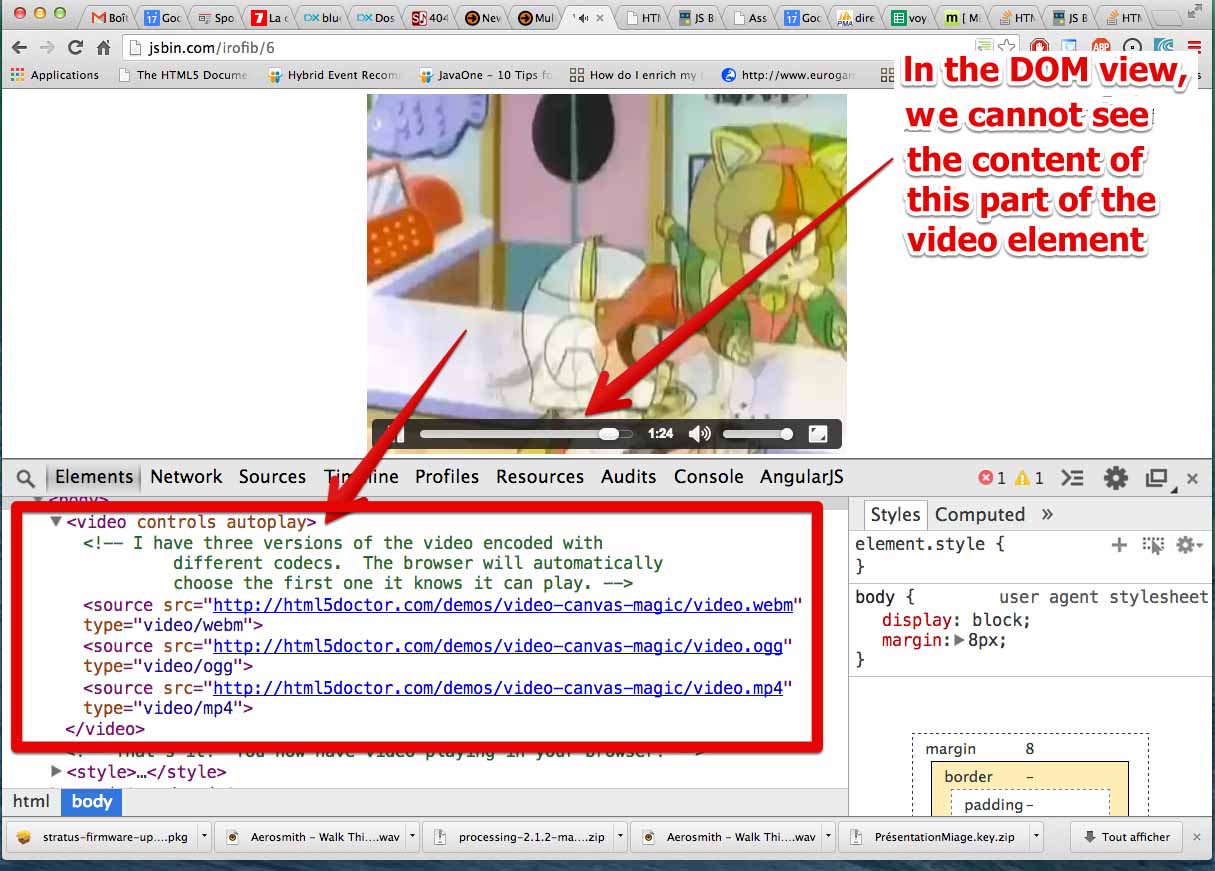
Let’s take a look behind the scenes, and see the Shadow DOM associated with the <video> element.
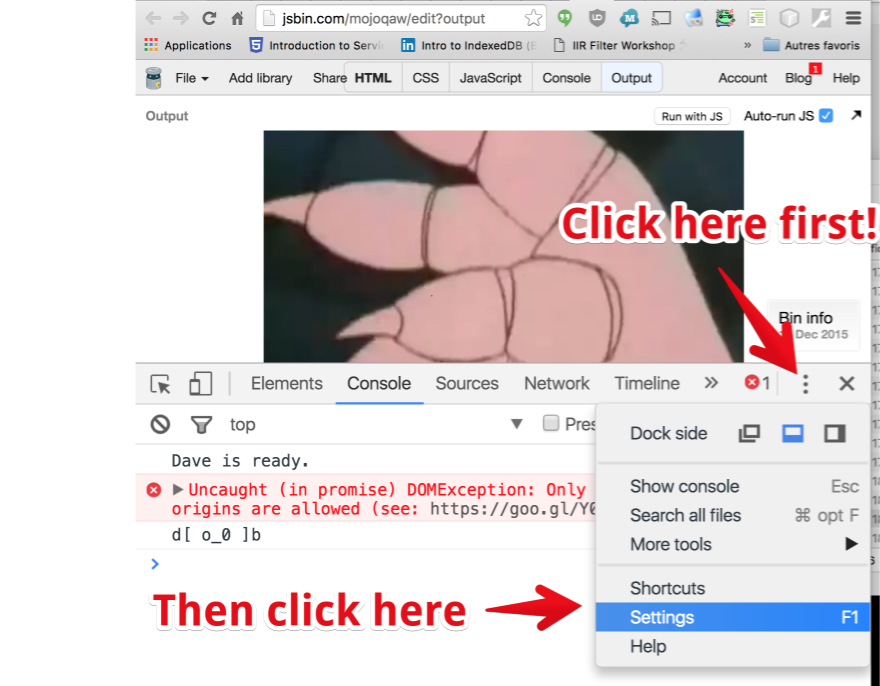
First, click on the Settings icon (three vertical dots) and select Settings in the drop down menu:
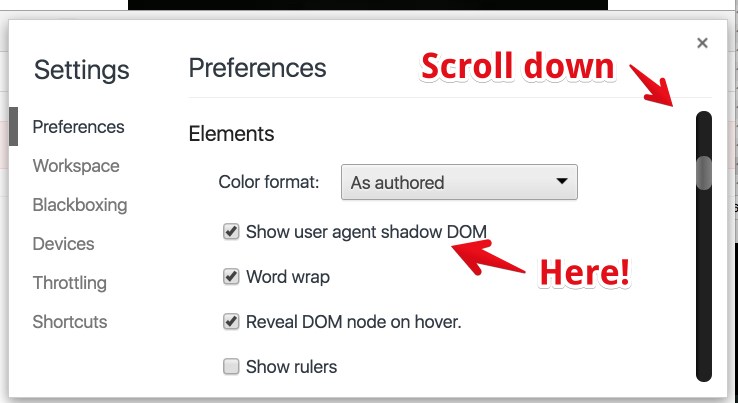
Then scroll down until you see the “Show user agent shadow DOM” option and check it. Close the panel.
Now, look for the video element again and within the DOM view you should see something new:
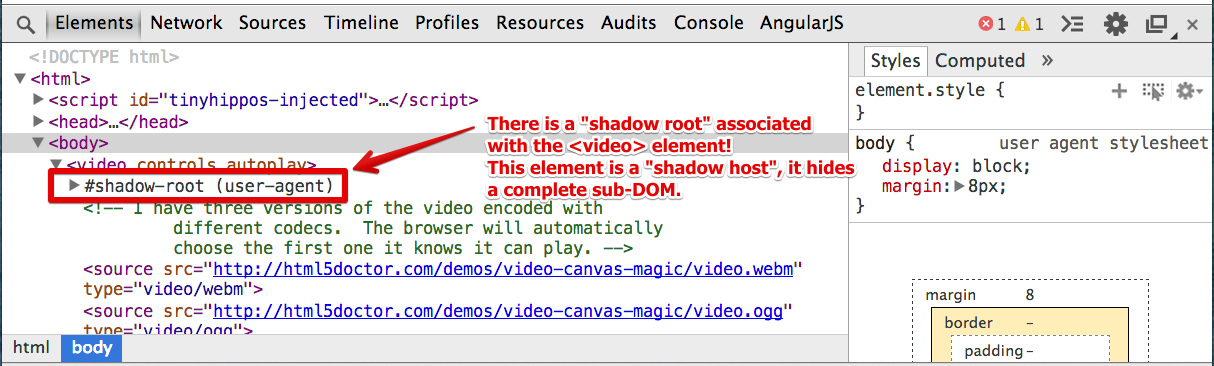
Open this shadow root by clicking on it, and move the mouse pointer over the different elements:
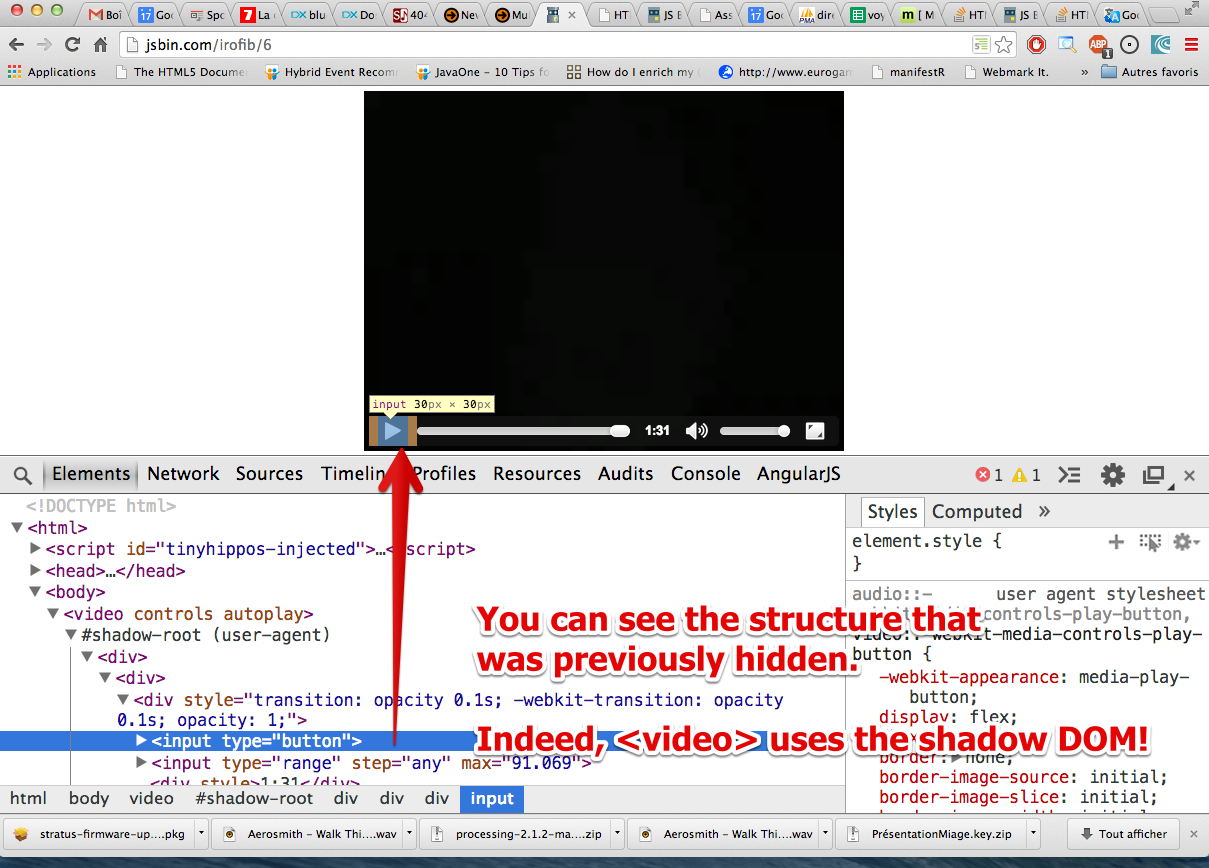
Chrome developers are already using the shadow DOM to define their own Web Components, such as <video> or <audio> elements! And they use the Shadow DOM to hide the internal plumbing.
Furthermore, there is a kind of “boundary” around the <video> element, so that external CSS cannot interfere. The content of the <video>element is sandboxed (protected from external CSS selectors, for example, or cannot be accessed using document.querySelector(), nor inspected by default, using a DOM inspector). Further reading on the concept of sandboxing.
Browser developers have been using Web Components for a while, and now it’s available to every Web developer!
a Simple example of Shadow Dom usage
Let’s have a look at a very simple example:
- Hello this is not rendered!
- // the div is the Shadow Host. Its content will not be rendered
- var host = document.querySelector(‘div’);
- // Create the shadow ROOT, the root node of the shadow DOM
- // using mode:open makes it available, mode:close would return null
- const shadowRoot = host.attachShadow({mode: ‘open’});
- // insert something into the shadow DOM, this will be rendered
- shadowRoot.innerHTML = ‘
Hello Shadow DOM
‘; // Could also use appendChild().
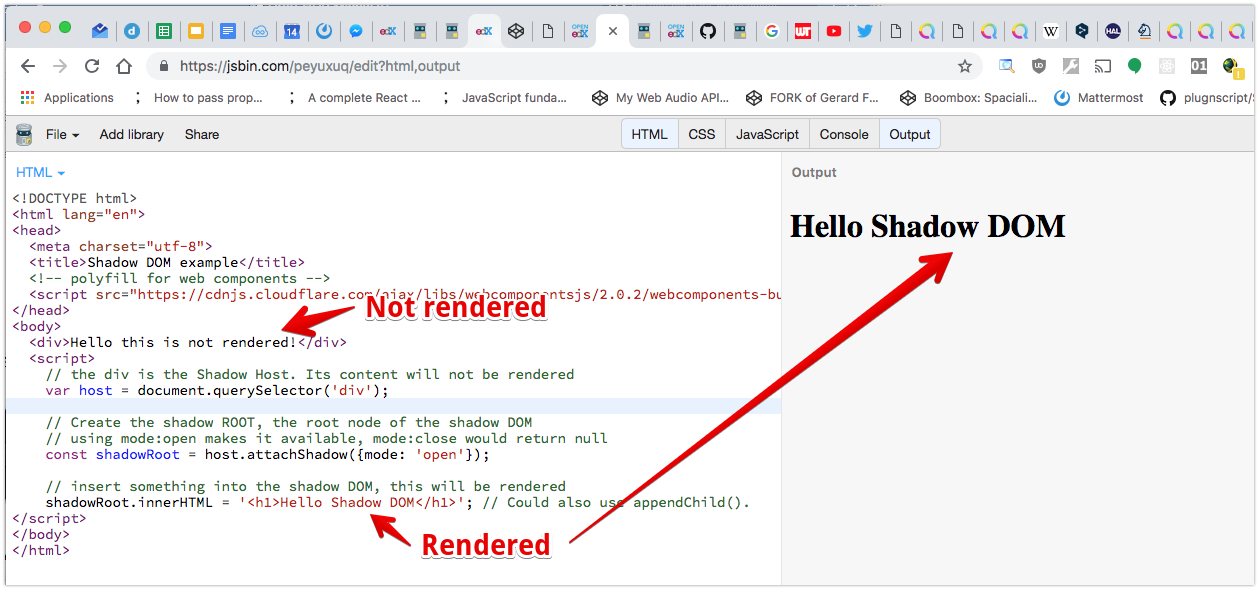
Lines 8 and 11 show how to associate a shadow root with an existing HTML element. In this example, the <div> defined at line 1 is a shadow host, and it is associated with the shadow root which contains three words of text (line 11).
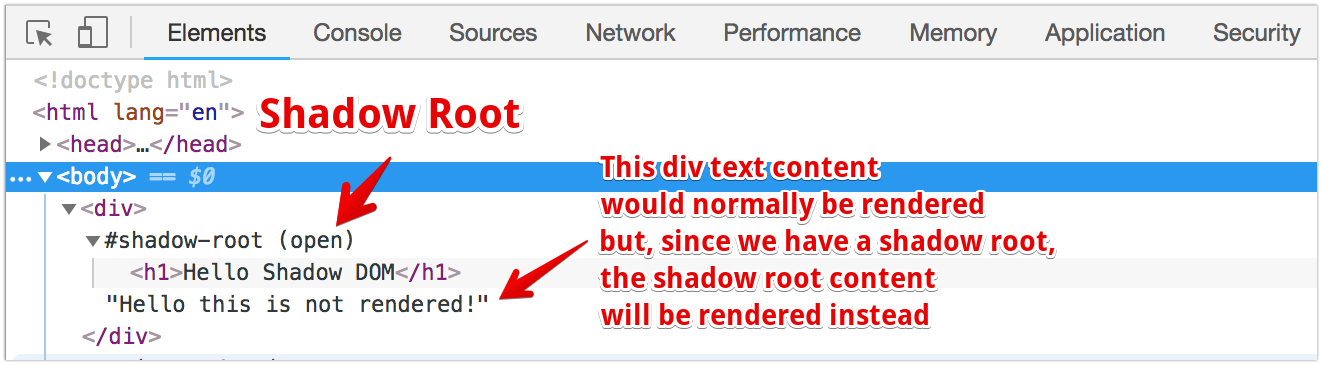
This example illustrates the three rules of the shadow DOM. Let’s look at them again:
The three rules of Shadow DOM:
- With Shadow DOM, elements are associated with a new kind of node: a shadow root.
- An element in the HTML which has a shadow root associated with it is called a shadow host.
- The content of a shadow host doesn’t appear; the content of the shadow root is rendered instead.
And indeed, the above example (try the online version here at JSBin) renders the content of the shadow root, not the content of the button. In the online example, try to change the text of the div (line 1), and you will notice that nothing changes. Then modify the text at line 11 and observe the result
 HTML game