More feedback using the dropEffect property: changing the cursor’s shape
It is possible to change the cursor’s shape during the drag process. The cursor will turn into a “copy”, “move” or “link” icon, depending on the semantic of your drag and drop, when you enter a drop zone during a drag. For example, if you “copy” a fruit into the drop zone, as we did in the previous example, a “copy” cursor like the one below would be appropriate:
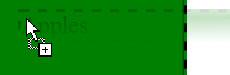
If you are “moving” objects, this style of cursor would be appropriate:

And if you are making a “link” or a “shortcut”, a cursor would be looking like this:
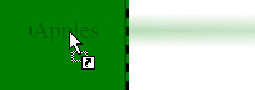
Alternatively, you could use any custom image/icon you like:
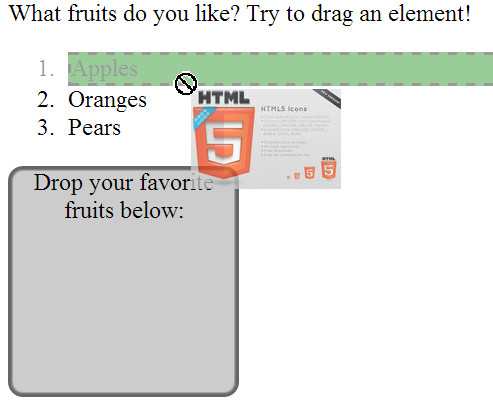
To give this visual feedback, we use the effectAllowed and dropEffect properties of the dataTransfer object. To set one of the possible predefined cursors, we specify an effect in the dragstart handler, and we set the effect (to “move”, “copy”, etc.) in the dragEnter or dragOverhandler.
Here is an extract of the code we can add to the example we saw earlier:
- function dragStartHandler(event) {
- // Allow a “copy” cursor effect
- event.dataTransfer.effectAllowed = ‘copy’;
- …
- }
And here is where we can set the cursor to a permitted value:
- function dragEnterHandler(event) {
- // change the cursor shape to a “+”
- event.dataTransfer.dropEffect = ‘copy’;
- …
- }
To set a custom image, we also do the following in the dragstart handler:
- function dragStartHandler(event) {
- // allowed cursor effects
- event.dataTransfer.effectAllowed = ‘copy’;
- // Load and create an image
- var dragIcon = document.createElement(‘img’);
- dragIcon.src = ‘anImage.png’;
- dragIcon.width = 100;
- // set the cursor to this image, with an offset in X, Y
- event.dataTransfer.setDragImage(dragIcon, –10, –10);
- …
- }
Complete online example
Here is the previous example (with apples, oranges, etc) that sets a “copy” cursor and a custom image. Try it in your browser below (start to drag and wait a few seconds for the image to be loaded. You might have to try twice before it works) or play with it at CodePen:
Here are the various possible values for cursor states (your browser will not necessarily support all of these; we noticed that copyMove, etc. had no effect with Chrome, for example). The values of “move”, “copy”, and “link” are widely supported.
All possible values for dropEffect and effectAllowed:
- dataTransfer.effectAllowed can be set to the following values:
none,copy,copyLink,copyMove,link,linkMove,move,all,anduninitialized. - dataTransfer.dropEffect can take on one of the following values:
none,copy,link,move.
 HTML game