Web components
Introduction

Web components provide a standard way to build your own widgets/components using similar methods to those used by browser developers to construct the <video>, <audio>, and <input type=”date”> elements, for example.
Web components enable you to use custom HTML elements in your HTML documents, that will render as complex widgets: a better-looking calendar, an input text with vocal recognition, a nice chart, etc.
Let’s start with an example! This code…:
- <x-gif src=”http://i.imgur.com/iKXH4E2.gif” ping-pong></x-gif>
… will render in your document an animated GIF, and it will loop forever in ping-pong mode: the order of the animation will be reversed when the last image is reached and again when the animation goes back to the first image.

Click on the image to run the animated GIF demo, or visit this Web site.
If you look at the source of the demo page, you will note the following at the top of the page:
- <link rel=”import” href=”dist/x-gif.html”>
This is new! It’s called an “HTML import”! If your browser supports HTML imports, you can now import another HTML document, that will come with its own HTML, CSS, and JavaScript code-base, into your HTML page . The code for the animated GIF player, rendered when the browser encounters the custom HTML element <x-gif>, is located in the imported HTML file (and this HTML file can in turn include or define CSS and JavaScript content).
Even more impressive: if you use the devtools or the right click context menu to view the source of the page, you will not see the DOM of this animated GIF player:
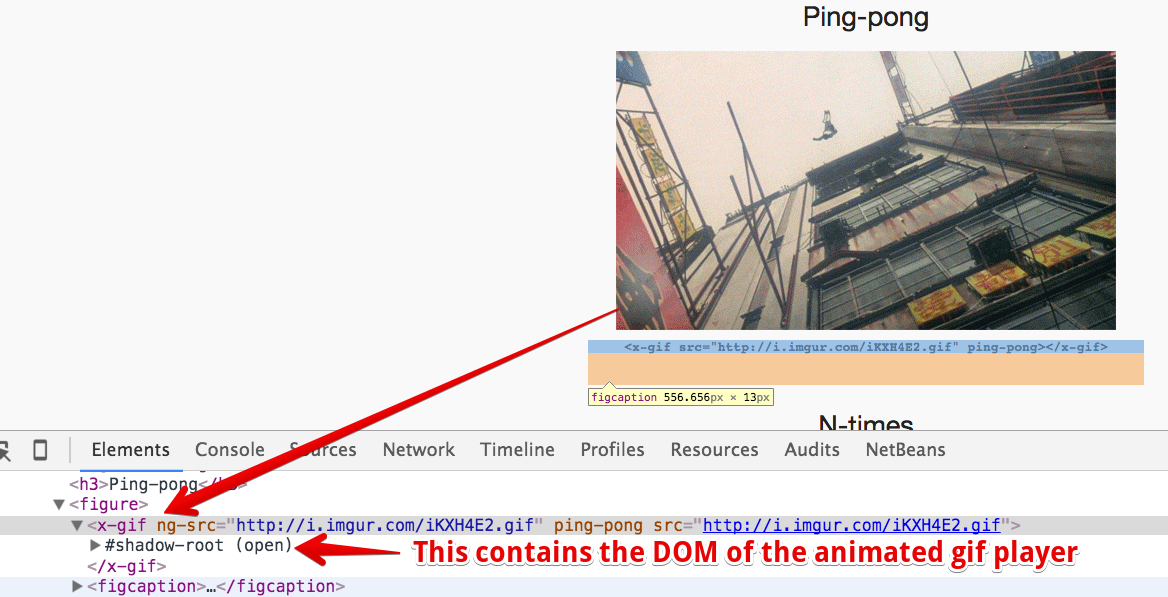
…and your document will still be valid. Looking at the source code or at the DOM with the devtool’s inspector will not reveal the source code (HTML/JavaScript/CSS) used for creating it.
There are already hundreds of Web components available
Indeed, you can use many Web components made by others. On the webcomponents.org Web site, you will find lots of Web components. Usually, you will need to import the HTML file that defines the components you want to use, and maybe also a polyfill if you want to use them with browsers that do not yet support Web Components.
Example: let’s go to the the Web Components Web site.
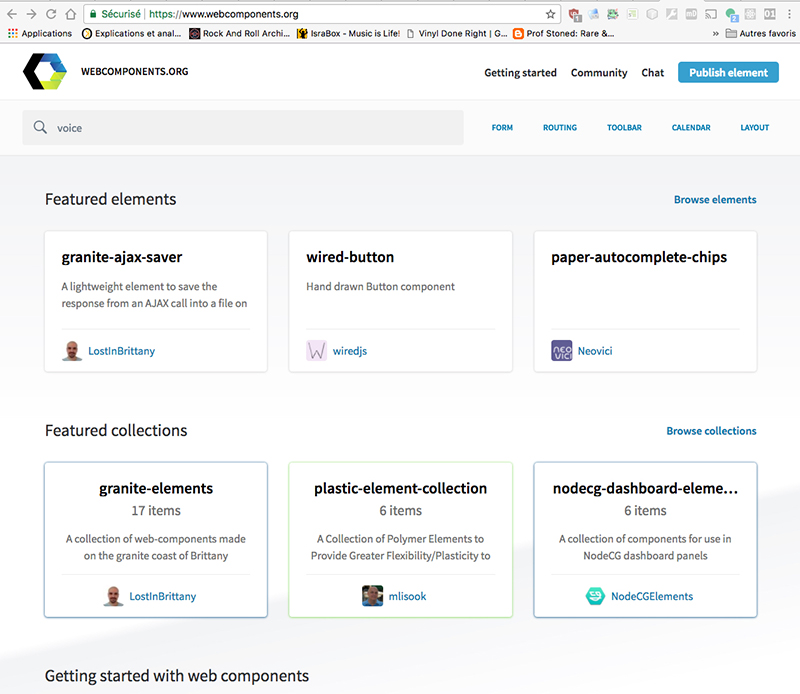
We then search for Web components tagged with the “voice” tag and find input fields with voice recognition, and a text area that could vocalize the text:
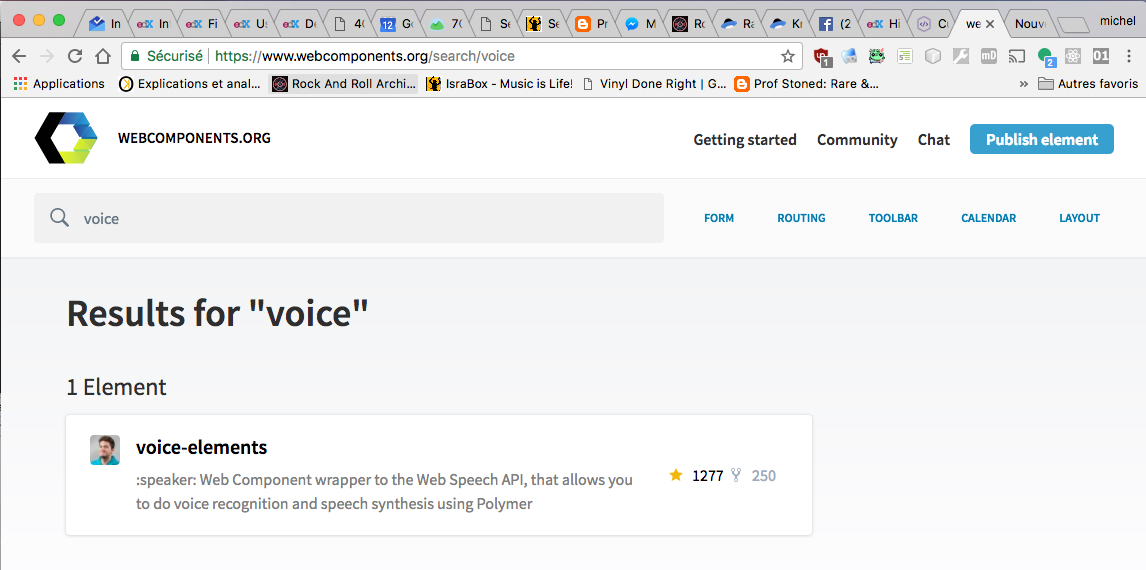
Let’s click on the first result:
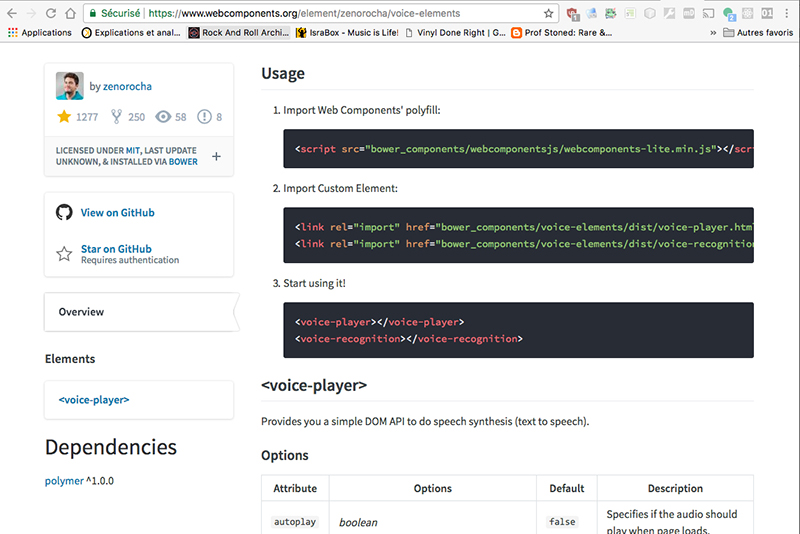
Now, please try a demonstration of this component!
As you see, re-using Web components is easy 🙂
Notice that Google, with its Polymer project and Mozilla, with its X-Tag library, also offer huge sets of components for creating rich UIs with a common look and feel.
Current support
Web components are built on four different APIS
In this lesson, we are talking about “Web components”. Note that this is not a single API – rather it’s what we call an “umbrella API”, built on top of four W3C specifications, which will be detailed in subsequent lessons.
The main W3C Web Components resource is on GitHub: https://github.com/w3c/webcomponents
- The HTML Templates specification (Now part of the HTML5 specification)
- The Shadow DOM specification (Working Draft, part of the DOM specification)
- The Custom Elements specification (Working Draft, part of the HTML5 specification)
- The HTML Imports specification (Working Draft)
You can check the current support for these APIs here: Microsoft Edge Web Components support and http://www.caniuse.com. Currently (as of December 2018), only Google Chrome and Opera natively support these four APIs. Other browsers only support some of them, or have incomplete support. However, polyfills are available, and Web components frameworks, such as Polymer (by Google), or X-Tag (by Mozilla), include a polyfill, that adds support for most modern browsers (> 2013).
HTML imports will certainly be replaced by a more standard way involving JavaScript imports (see discussions).
With a polyfill, Web components can be used in all modern browsers (> 2013)
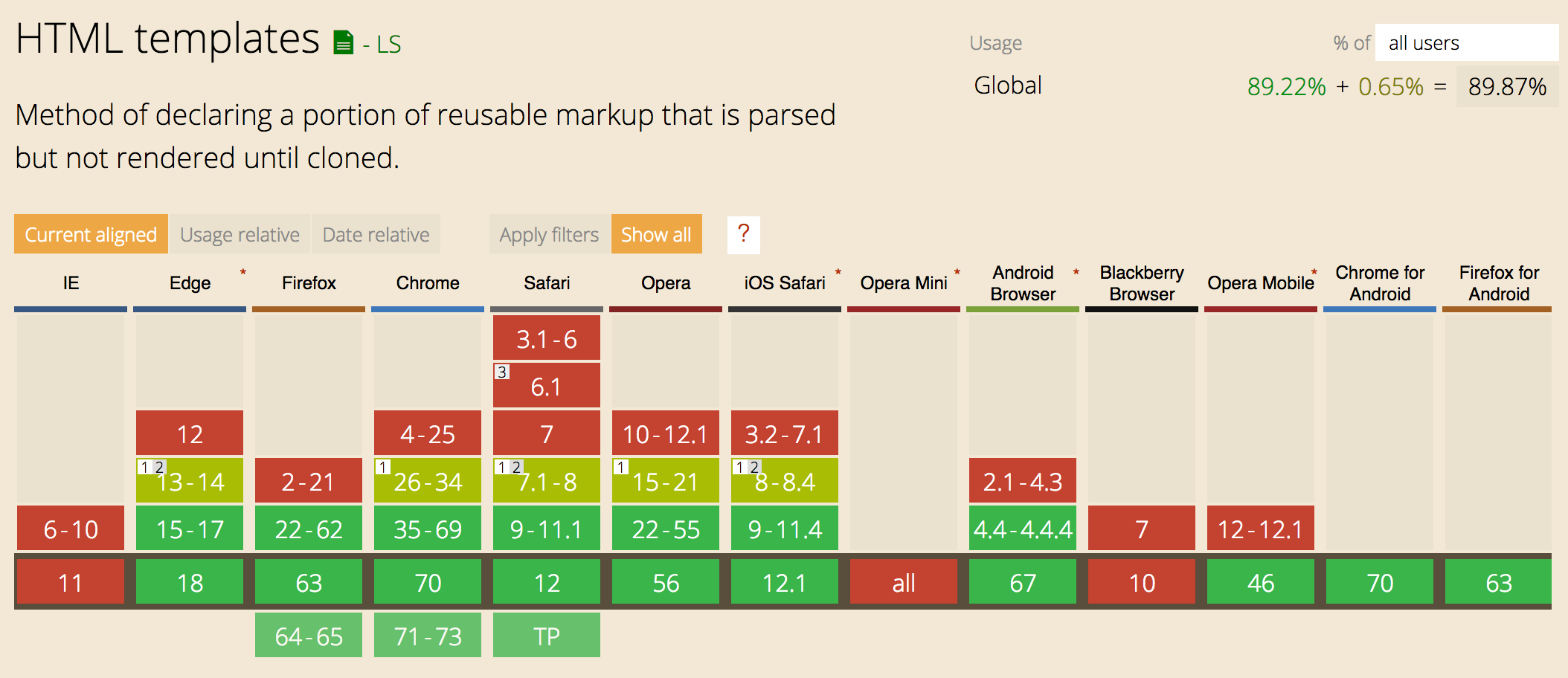
HTML templates are supported by nearly all modern browsers, including mobile browsers (see caniuse’s HTML templates table):
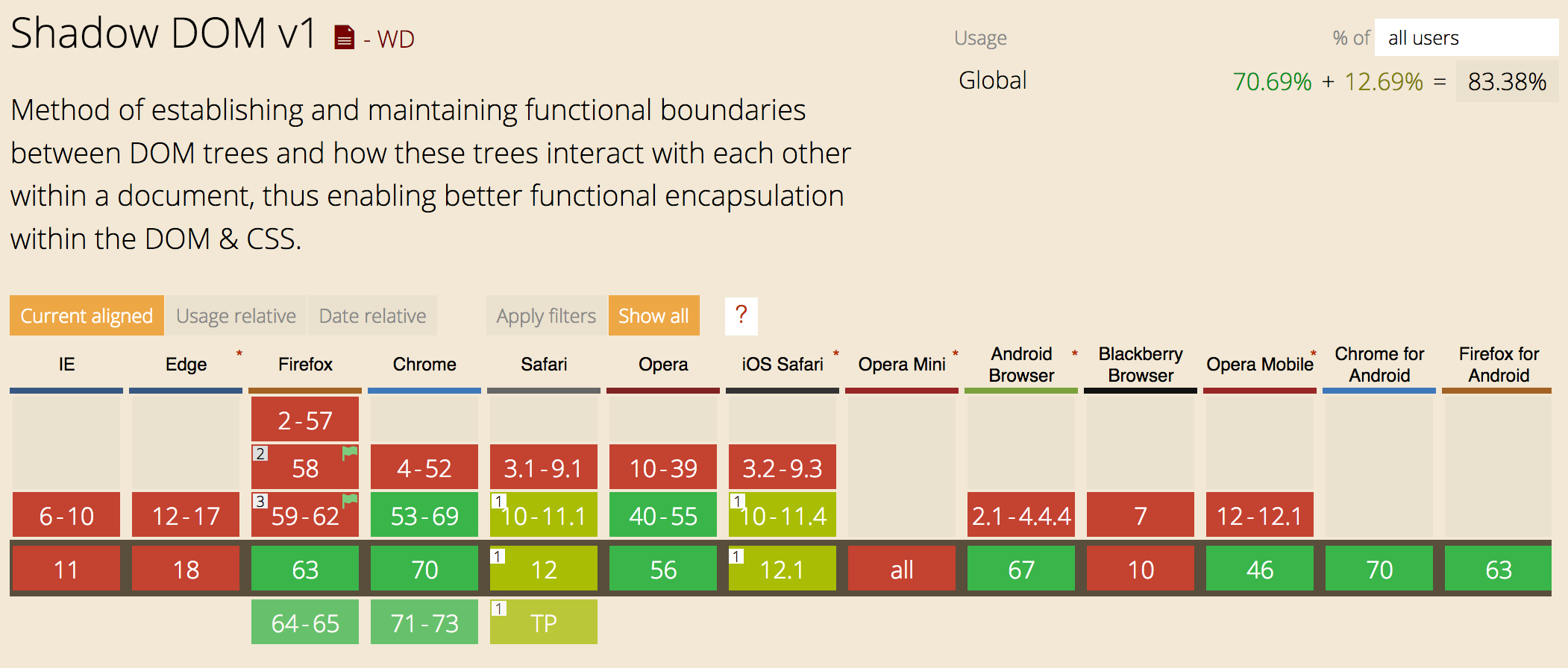
Shadow DOM v1 is supported by Chrome and Opera, and FireFox/Safari offers partial support (see caniuse’s Shadow DOM v1 table):
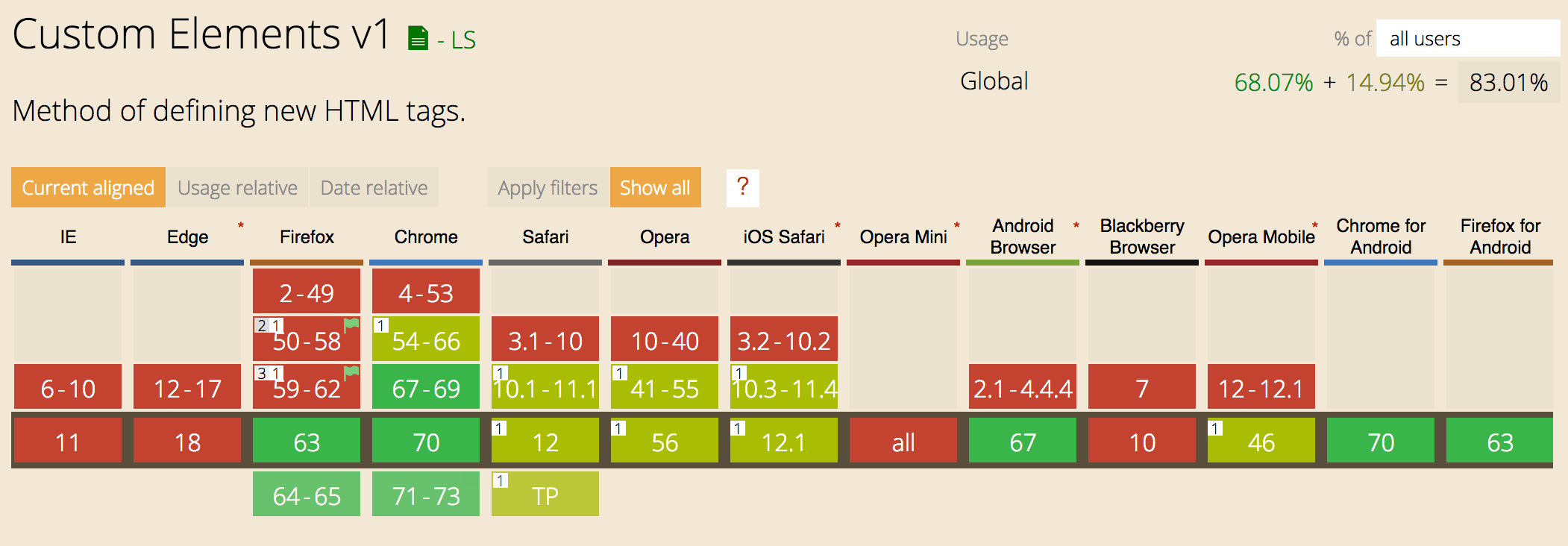
Custom
Elements is supported by Chrome and Opera, and FireFox/Safari offers partial
support. Edge is implementing them (see also caniuse’s
Custom Elements v1 table)
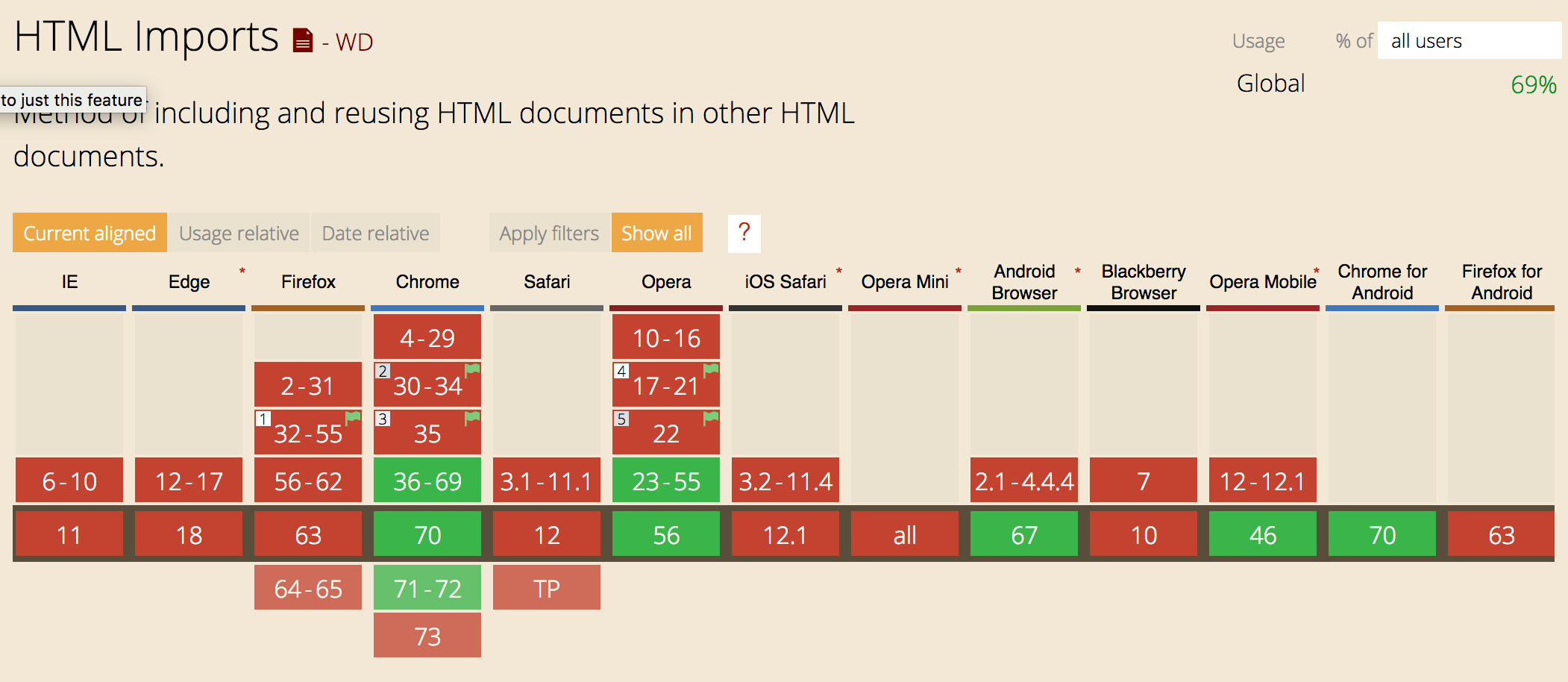
HTML Imports is supported by Chrome, other browsers support it using polyfills (see caniuse’s HTML Imports table). A new way to import Web Components using JavaScript imports is under consideration:
 HTML game
