Writing an equalizer using biquad filters
Example 1: an audio equalizer with an <audio> element
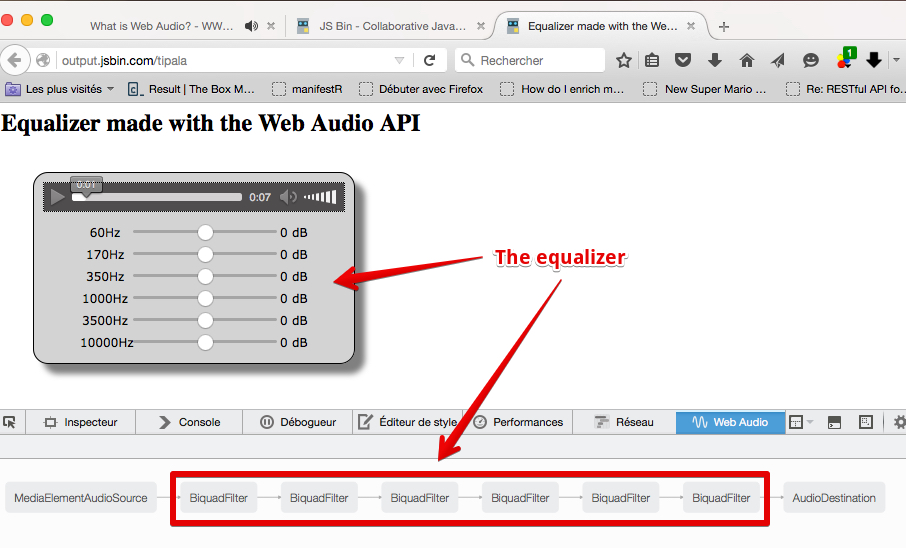
Example at JSBin, or you can try it in your browser:
60Hz 0 dB
170Hz 0 dB
350Hz 0 dB
1000Hz 0 dB
3500Hz 0 dB
10000Hz 0 dB
This example uses six BiquadFilter nodes with type=”peaking”.
If you read the description of this filter type: “Frequencies inside the range get a boost or an attenuation; frequencies outside it are unchanged.” This is exactly what we need to write a multi band equalizer! We’re going to use several sliders, each of which boosts one range of frequency values.
The definition says that:
- the frequency property value of a filter will indicate the middle of the frequency range getting a boost or an attenuation, each slider corresponds to a filter whose frequency will be set to 60Hz, 170Hz, 350Hz, 1000Hz, 3500Hz, or 10000Hz.
- the gain property value of a filter corresponds to the boost, in dB, to be applied; if negative, it will be an attenuation. We will code the sliders’ event listeners to change the gain value of the corresponding filter.
- the Q property values control the width of the frequency band. The greater the Q value, the smaller the frequency band. We’ll ignore it for the purposes of this example.
HTML code extract:
- <h2>Equalizer made with the Web Audio API</h2>
- class=“eq”>
- src=“http://mainline.i3s.unice.fr/mooc/drums.mp3”>
- Your browser does not support the audio tag.
class=“controls”>
- 60Hz
- type=“range”
- value=“0” step=“1” min=“-30” max=“30”
- oninput=“changeGain(this.value, 0);“>
- id=“gain0”>0 dB
class=“controls”>- 170Hz
- type=“range”
- value=“0” step=“1” min=“-30” max=“30”
- oninput=“changeGain(this.value, 1);“>
- id=“gain1”>0 dB
class=“controls”>- 350Hz
- type=“range”
- value=“0” step=“1” min=“-30” max=“30”
- oninput=“changeGain(this.value, 2);“>
- id=“gain2”>0 dB
- …
- </div>
JavaScript code:
- //Builds an equalizer with multiple biquad filters
- var ctx = window.AudioContext || window.webkitAudioContext;
- var context = new ctx();
- var mediaElement = document.getElementById(‘player’);
- var sourceNode = context.createMediaElementSource(mediaElement);
- // Creates the equalizer, comprised of a set of biquad filters
- var filters = [];
- // Set filters
- [60, 170, 350, 1000, 3500, 10000].forEach(function(freq, i) {
- var eq = context.createBiquadFilter();
- eq.frequency.value = freq;
- eq.type = “peaking”;
- eq.gain.value = 0;
- filters.push(eq);
- });
- // Connects filters in sequence
- sourceNode.connect(filters[0]);
- for(var i = 0; i < filters.length – 1; i++) {
- filters[i].connect(filters[i+1]);
- }
- // Connects the last filter to the speakers
- filters[filters.length – 1].connect(context.destination);
- // Event listener called by the sliders
- function changeGain(sliderVal,nbFilter) {
- var value = parseFloat(sliderVal);
- filters[nbFilter].gain.value = value;
- // Updates output labels
- var output = document.querySelector(“#gain”+nbFilter);
- output.value = value + ” dB”;
- }
Here is the final audio graph:
Example 2: the same example but with a <video> element
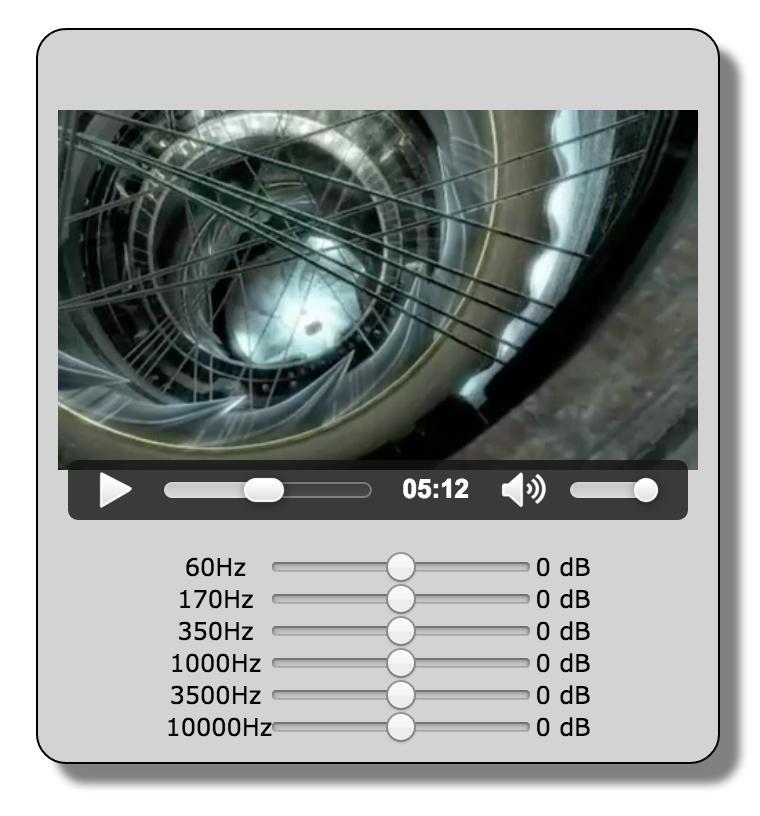
We cloned the previous example and simply changed the <audio>…</audio> part of the HTML code by:
- <video id=“player” width=“320” height=“240” controls crossOrigin=“anonymous”>
- <source src=“http://mainline.i3s.unice.fr/mooc/elephants-dream-medium.mp4” >
- </video>
And the example works in the same way, but this time with a video. Try moving the sliders to change the sound!
 HTML game