Sprite-based animation
Introduction
In this lesson, we learn how to animate images – which are known as “sprites”. This technique utilises components from a collection of animation frames. By drawing different component-images, rapidly, one-after-the-other, we obtain an animation effect.
Here is an example of a spritesheet, where each line animates a woman walking in a particular direction:
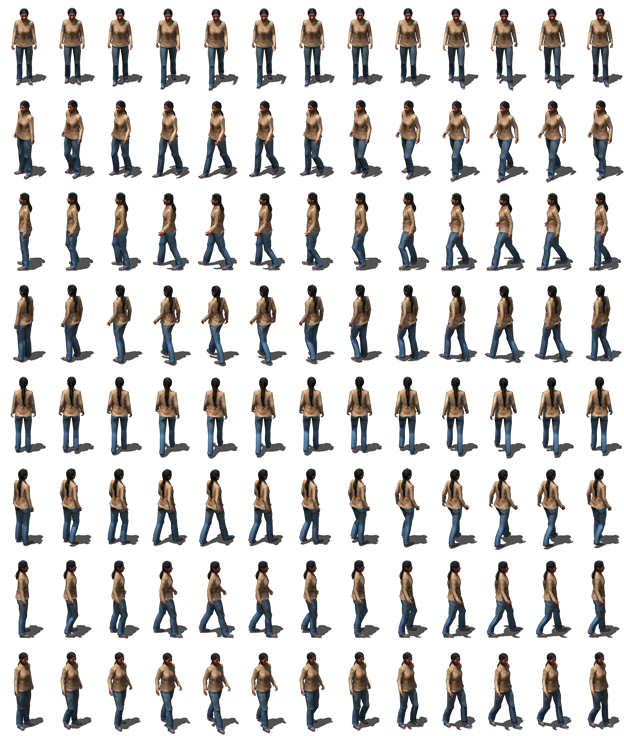
The first line corresponds to the direction we called “south”, the second “south west”, the third “west”, etc. The 8 lines cover movement in all eight cardinal directions.
Each line is composed of 13 small images which together comprise an “animated” sprite. If we draw each of the 13 animations of the first line, in turn; we will see a woman who seems to move towards the screen. And if we draw each sprite a little closer to the bottom of the screen, we obtain a woman who appears to approach the bottom of the screen, swinging her arms and legs, as she walks!
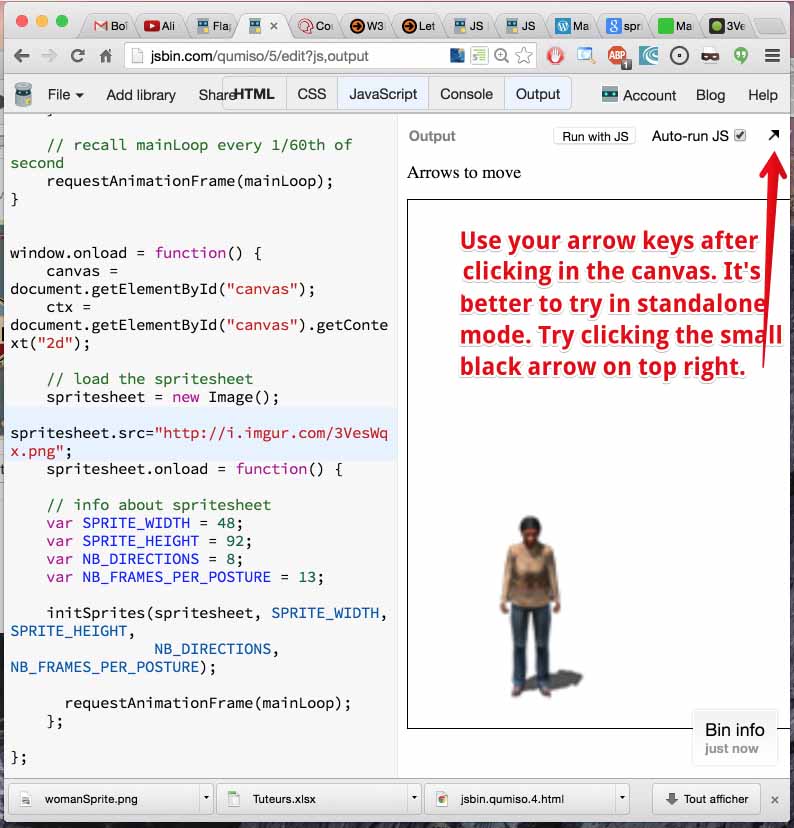
Try it yourself: here is a quick and dirty example to try at JSBin working with the above sprite sheet. Use the arrow keys and take a look! We accentuated the movement by changing the scale of the sprite as the woman moves up (further from us) or down (closer to us).
We have not yet investigated how this works, nor have we built it into the small game engine we started to build in earlier chapters. First, let’s explain how to use “sprites” in JavaScript and canvas.
 HTML game