Using the time to set up the frame rate of the animation
Principle: even if the mainloop is called 60 times per second, ignore some frames in order to reach the desired frame rate
It is also possible to set the frame rate using time based animation: we can set a global variable that corresponds to the desired frame rate and compare the elapsed time between two executions of the animation loop:
- If the time elapsed is too short for the target frame rate: do nothing,
- If the time elapsed exceeds the delay corresponding to the chosen frame rate: draw the frame and reset this time to zero.
Here is the an online example at JSBin.
Try to change the parameter value of the call to:
- setFrameRateInFramesPerSecond(5); // try other values!
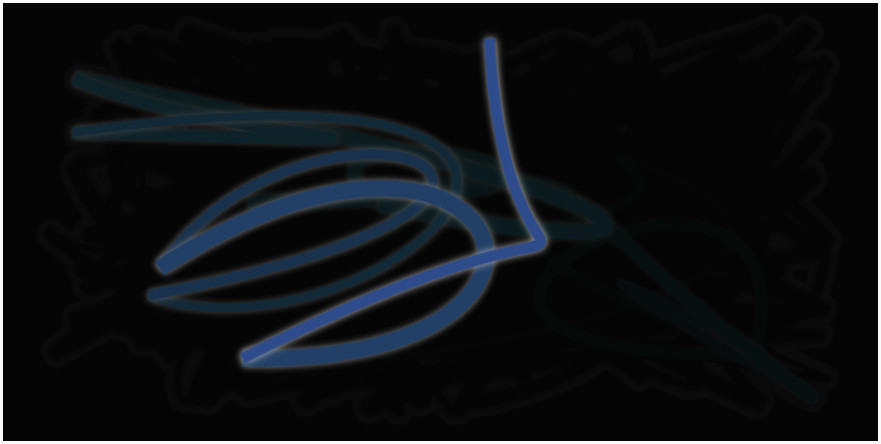
Source code of the example:
- <!DOCTYPE html>
- <html lang=“en”>
- <head>
- <meta charset=utf-8 />
- <title>Set framerate using a high resolution timer</title>
- </head>
- <body>
- <p>This example measures and sums deltas of time between consecutive frames of animation. It includes a <code>setFrameRateInFramesPerSecond</code> function you can use to reduce the number of frames per second of the main animation.</p>
- <canvas id=“myCanvas” width=“700” height=“350”>
- </canvas>
- var canvas = document.querySelector(“#myCanvas”);
- var ctx = canvas.getContext(“2d”);
- var width = canvas.width, height = canvas.height;
- var lastX = width * Math.random();
- var lastY = height * Math.random();
- var hue = 0;
- // Michel Buffa: set the target frame rate. TRY TO CHANGE THIS VALUE AND SEE
- // THE RESULT. Try 2 frames/s, 10 frames/s, 60 frames/s Normally there
- // should be a limit of 60 frames/s in the browser’s implementations.
- setFrameRateInFramesPerSecond(60);
- // for time based animation. DelayInMS corresponds to the target framerate
- var now, delta, delayInMS, totalTimeSinceLastRedraw = 0;
- // High resolution timer
- var then = performance.now();
- // start the animation
- requestAnimationFrame(mainloop);
- function setFrameRateInFramesPerSecond(frameRate) {
- delayInMs = 1000 / frameRate;
- }
- // each function that is going to be run as an animation should end by
- // asking again for a new frame of animation
- function mainloop(time) {
- // Here we will only redraw something if the time we want between frames has
- // elapsed
- // Measure time with high resolution timer
- now = time;
- // How long between the current frame and the previous one?
- delta = now – then;
- // TRY TO UNCOMMENT THIS LINE AND LOOK AT THE CONSOLE
- // console.log(“delay = ” + delayInMs + ” delta = ” + delta + ” total time = ” +
- // totalTimeSinceLastRedraw);
- // If the total time since the last redraw is > delay corresponding to the wanted
- // framerate, then redraw, else add the delta time between the last call to line()
- // by requestAnimFrame to the total time..
- if (totalTimeSinceLastRedraw > delayInMs) {
- // if the time between the last frame and now is > delay then we
- // clear the canvas and redraw
- ctx.save();
- // Trick to make a blur effect: instead of clearing the canvas
- // we draw a rectangle with a transparent color. Changing the 0.1
- // for a smaller value will increase the blur…
- ctx.fillStyle = “rgba(0,0,0,0.1)”;
- ctx.fillRect(0, 0, width, height);
- ctx.translate(width / 2, height / 2);
- ctx.scale(0.9, 0.9);
- ctx.translate(-width / 2, –height / 2);
- ctx.beginPath();
- ctx.lineWidth = 5 + Math.random() * 10;
- ctx.moveTo(lastX, lastY);
- lastX = width * Math.random();
- lastY = height * Math.random();
- ctx.bezierCurveTo(width * Math.random(),
- height * Math.random(),
- width * Math.random(),
- height * Math.random(),
- lastX, lastY);
- hue = hue + 10 * Math.random();
- ctx.strokeStyle = “hsl(“ + hue + “, 50%, 50%)”;
- ctx.shadowColor = “white”;
- ctx.shadowBlur = 10;
- ctx.stroke();
- ctx.restore();
- // reset the total time since last redraw
- totalTimeSinceLastRedraw = 0;
- } else {
- // sum the total time since last redraw
- totalTimeSinceLastRedraw += delta;
- }
- // Store time
- then = now;
- // request new frame
- requestAnimationFrame(mainloop);
- }
- </body>
- </html>
SAME TECHNIQUE WITH THE BOUNCING RECTANGLE. SEE HOW WE CAN set BOTH SPEED AND FRAME-RATE USING A HIGH-RESOLUTION TIME
Here is a modified version on JSBin of the example with the rectangle that also uses this technique. In this version, you can change both the speed in pixels/s and the frame rate.
Source code:
- <!DOCTYPE html>
- <html lang=“en”>
- <head>
- <meta charset=utf-8 />
- <title>Bouncing rectangle with high resolution timer and adjustable frame rate</title>
- var canvas, ctx;
- var width, height;
- var x, y, incX; // incX is the distance from the previously drawn rectangle
- // to the new one
- var speedX; // speedX is the target speed of the rectangle in pixels/s
- // for time based animation, DelayInMS corresponds to the target frame rate
- var now, delta, delayInMS, totalTimeSinceLastRedraw=0;
- // High resolution timer
- var then = performance.now();
- // Michel Buffa: set the target frame rate. TRY TO CHANGE THIS VALUE AND SEE
- // THE RESULT. Try 2 frames/s, 10 frames/s, 60, 100 frames/s Normally there
- // should be a limit of 60 frames/s in the browser’s implementations, but you can
- // try higher values
- setFrameRateInFramesPerSecond(25);
- function setFrameRateInFramesPerSecond(framerate) {
- delayInMs = 1000 / framerate;
- }
- // Called after the DOM is ready (page loaded)
- function init() {
- // init the different variables
- canvas = document.querySelector(“#mycanvas”);
- ctx = canvas.getContext(‘2d’);
- width = canvas.width;
- height = canvas.height;
- x=10; y = 10;
- // Target speed in pixels/second, try with high values, 1000, 2000…
- speedX = 2000;
- // Start animation
- requestAnimationFrame(animationLoop)
- }
- function animationLoop(time) {
- // Measure time with high resolution timer
- now = time;
- // How long between the current frame and the previous one?
- delta = now – then;
- if(totalTimeSinceLastRedraw > delayInMs) {
- // Compute the displacement in x (in pixels) in function of the time elapsed
- // since the last draw and
- // in function of the wanted speed. This time, instead of delta we
- // use totalTimeSinceLastRedraw as we’re not always drawing at
- // each execution of mainloop
- incX = calcDistanceToMove(totalTimeSinceLastRedraw, speedX);
- // an animation involves: 1) clear canvas and 2) draw shapes,
- // 3) move shapes, 4) recall the loop with requestAnimationFrame
- // clear canvas
- ctx.clearRect(0, 0, width, height);
- ctx.strokeRect(x, y, 10, 10);
- // move rectangle
- x += incX;
- // check collision on left or right
- if((x+10 >= width) || (x 0)) {
- // cancel move + inverse speed
- x -= incX;
- speedX = –speedX;
- }
- // reset the total time since last redraw
- totalTimeSinceLastRedraw = delta;
- } else {
- // sum the total time since last redraw
- totalTimeSinceLastRedraw += delta;
- }
- // Store time
- then = now;
- // animate.
- requestAnimationFrame(animationLoop);
- }
- var calcDistanceToMove = function(delta, speed) {
- return (speed * delta) / 1000;
- }
- </head>
- <body onload=“init();“>
- <canvas id=“mycanvas” width=“200” height=“50” style=“border: 2px solid black“></canvas>
- </body>
- </html>
could we Use setInterval?
It’s quite possible to use setInterval(function, interval) if you do not need an accurate scheduling.
To animate a monster at 60 fps but blinking his eyes once per second, you would use a mainloop with requestAnimationFrame and target a 60 fps animation, but you would also have a call to setInterval(changeEyeColor, 1000); and the changeEyeColor function will update a global variable, eyeColor, every second, which will be taken into account within the drawMonster function, called 60 times/s from the mainloop.
 HTML game