Game and object states: start menu, game-over menu, etc.
Object states
With our game framework handling the basics, we can make things more exciting by causing something to happen when a collision occurs – maybe the player ‘dies’, balls are removed, or we should add to your score? Usually, we add extra properties to the player and enemy objects. For example, a boolean dead property that will record if an object is dead or alive: if a ball is marked “dead”, do not draw it! If all balls are dead: go to the next level with more balls, faster balls, etc…
Let’s try adding a dead property to balls and consult it before drawing them. We could also test to see if all the balls are dead, in which case we recreate them and add one more ball. Let’s update the score whenever the monster eats a ball. And finally, we should add a test in the createBalls function to ensure that no balls are created on top of the monster.
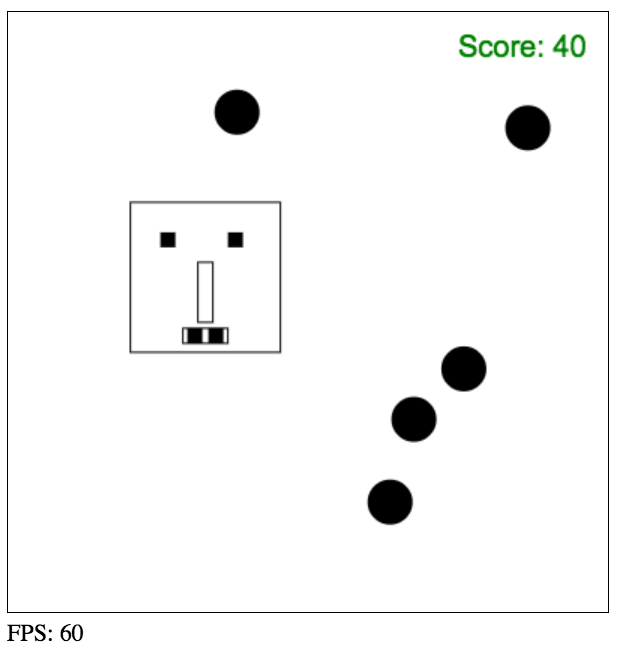
Source code extract:
- function updateBalls(delta) {
- // for each ball in the array
- var allBallDead = true;
- for(var i=0; i < ballArray.length; i++) {
- var ball = ballArray[i];
- if(ball.dead) continue; // do nothing if the ball is dead
- // if we are here: the ball is not dead
- allBallDead = false;
- // 1) move the ball
- ball.move();
- // 2) test if the ball collides with a wall
- testCollisionWithWalls(ball);
- // Test if the monster collides
- if(circRectsOverlap(monster.x, monster.y,
- monster.width, monster.height,
- ball.x, ball.y, ball.radius)) {
- //change the color of the ball
- ball.color = ‘red’;
- ball.dead = true;
- // Here, a sound effect would greatly improve
- // the experience!
- currentScore+= 1;
- }
- // 3) draw the ball
- ball.draw();
- }
- if(allBallDead) {
- // reset all balls, create more balls each time
- // as a way of increasing the difficulty
- // in a real game: change the level, play nice music!
- nbBalls++;
- createBalls(nbBalls);
- }
- }
Game states: menus, high score tables etc…
In this example, we will make use of a global gameState variable for managing the life-cycle of the game. Usually, there is a main menu with a “start new game” option, then we play the game, and if we ‘die’ we suffer a game-over screen, etc…
Ah!… you think that the game has been too easy? Let’s reverse the game: now you must survive without being touched by a ball!!!
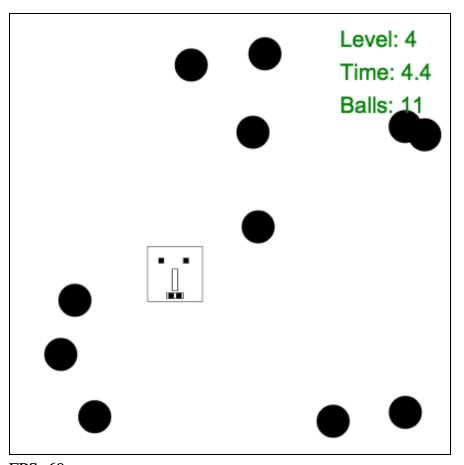
Also, every five seconds a next level will start: the set of balls is re-created, and each level has two more than before. How long can you survive?
Try this JsBin, then look at the source code. Start from the mainloop!
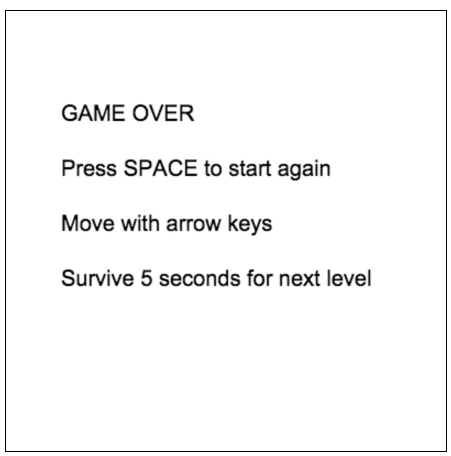
currentGameState = gameStates.gameOver:
currentGameState = gameStates.gamerunning:
Game state management in the JavaScript code:
- …
- // game states
- var gameStates = {
- mainMenu: 0,
- gameRunning: 1,
- gameOver: 2
- };
- var currentGameState = gameStates.gameRunning;
- var currentLevel = 1;
- var TIME_BETWEEN_LEVELS = 5000; // 5 seconds
- var currentLevelTime = TIME_BETWEEN_LEVELS;
- …
- var mainLoop = function (time) {
- …
- // number of ms since last frame draw
- delta = timer(time);
- // Clear the canvas
- clearCanvas();
- // monster.dead is set to true in updateBalls when there
- // is a collision
- if (monster.dead) {
- currentGameState = gameStates.gameOver;
- }
- switch (currentGameState) {
- case gameStates.gameRunning:
- // draw the monster
- drawMyMonster(monster.x, monster.y);
- // Check inputs and move the monster
- updateMonsterPosition(delta);
- // update and draw balls
- updateBalls(delta);
- // display Score
- displayScore();
- // decrease currentLevelTime. Survive 5s per level
- // When < 0 go to next level
- currentLevelTime -= delta;
- if (currentLevelTime < 0) {
- goToNextLevel();
- }
- break;
- case gameStates.mainMenu:
- // TO DO! We could have a main menu with high scores etc.
- break;
- case gameStates.gameOver:
- ctx.fillText(“GAME OVER”, 50, 100);
- ctx.fillText(“Press SPACE to start again”, 50, 150);
- ctx.fillText(“Move with arrow keys”, 50, 200);
- ctx.fillText(“Survive 5 seconds for next level”, 50, 250);
- if (inputStates.space) {
- startNewGame();
- }
- break;
- }
- …
- };
- …
And below are the functions for starting a new level, starting a new game, and the updateBalls function that determines when a player loses and changes the current game-state to GameOver:
- function startNewGame() {
- monster.dead = false;
- currentLevelTime = 5000;
- currentLevel = 1;
- nbBalls = 5;
- createBalls(nbBalls);
- currentGameState = gameStates.gameRunning;
- }
- function goToNextLevel() {
- // reset time available for next level
- // 5 seconds in this example
- currentLevelTime = 5000;
- currentLevel++;
- // Add two balls per level
- nbBalls += 2;
- createBalls(nbBalls);
- }
- function updateBalls(delta) {
- // Move and draw each ball, test collisions,
- for (var i = 0; i < ballArray.length; i++) {
- …
- // Test if the monster collides
- if (circRectsOverlap(monster.x, monster.y,
- monster.width, monster.height,
- ball.x, ball.y, ball.radius)) {
- //change the color of the ball
- ball.color = ‘red’;
- monster.dead = true;
- // Here, a sound effect greatly improves
- // the experience!
- plopSound.play();
- }
- // 3) draw the ball
- ball.draw();
- }
- }
 HTML game