Elements and APIs useful for writing games
Elements and APIs useful for writing games
During the HTML5 Part 1 course we studied the canvas, drawing, and animation elements. These will be revisited this week, and we’ll go into more detail. We recommend reviewing the HTML5 Part 1 course, specifically weeks 3 and 4 that covered drawing and animating, to refresh your memory of the HTML5 canvas.
Here we present some elements that are useful in writing games.
DRAWING: The <canvas> element
 The <canvas> is a new HTML element described as “a resolution-dependent bitmap canvas which can be used for rendering graphs, game graphics, or other visual images on the fly.” It’s a rectangle included in your page where you can draw using scripting with JavaScript. It can, for instance, be used to draw graphs, make photo compositions or do animations. This element comprises a drawable region defined in HTML code with height and widthattributes.
You can have multiple canvas elements on one page, even stacked one on top of another, like transparent layers. Each will be visible in the DOM tree and has it’s own state independent of the others. It behaves like a regular DOM element.
The canvas has a rich JavaScript API for drawing all kinds of shapes; we can draw wireframe or filled shapes and set several properties such as color, line width, patterns, gradients, etc. It also supports transparency and pixel level manipulations. It is supported by all browsers, on desktopor mobile phones, and on most devices it will take advantage of hardware acceleration.
It is undoubtedly the most important element in the HTML5 specification from a game developer’s point of view, so we will discuss it in greater detail later in the course.
Latest news: on 19 November 2015, the HTML Working Group published HTML Canvas 2D Context as W3C Recommendation (i.e., Web standard status).
ANIMATING AT 60 FPS: the requestAnimationFrame API
The requestAnimationFrame API targets 60 frames per second animation in canvases. This API is quite simple and also comes with a high resolution timer. Animation at 60 fps is often easy to obtain with simple 2D games on major desktop computers. This is the preferred way to perform animation, as the browser will ensure that animation is not performed when the canvas is not visible, thus saving CPU resources.
Videos and animated textures: the <video> element
 The HTML5 <video> element was introduced in the HTML5 specification for the purpose of playing streamed videos or movies, partially replacing the object element. The JavaScript API is nearly the same as the one of the <audio> element and enables full control from JavaScript.
By combining the capabilities of the <video> and <canvas> elements, it is possible to manipulate video data to incorporate a variety of visual effects in real time, and conversely, to use images from videos as “animated textures” over graphic objects.
Audio (streamed audio and real time sound effects): the <audio> element and the Web Audio API
The <audio> element
<audio> is an HTML element that was introduced to give a consistent API for playing streamed sounds in browsers. File format support varies between browsers, but MP3 works in nearly all browsers today. Unfortunately, the <audio> element is only for streaming compressed audio, so it consumes CPU resources, and is not adapted for sound effects where you would like to change the playing speed or add real time effects such as reverberation or doppler. For this, the Web Audio API is preferable.
The Web Audio API
This is a 100% JavaScript API designed for working in real time with uncompressed sound samples or for generating procedural music. Sound samples will need to be loaded into memory and decompressed prior to being used. Up to 12 sound effects are provided natively by browsers that support the API (all major browsers except IE, although Microsoft Edge supports it).
Interacting: dealing with keyboard and mouse events, the GamePad API
 User inputs will rely on several APIs, some of which are well established, such as the DOM API that is used for keyboard, touch or mouse inputs. There is also a Gamepad API (in W3C Working Draft status) that is already implemented by some browsers, which we will also cover in this course. The Gamepad specification defines a low-level interface that represents gamepad devices.
Multi Participant features: WebSockets
IMPORTANT INFORMATION: NOT COVERED IN THIS COURSE
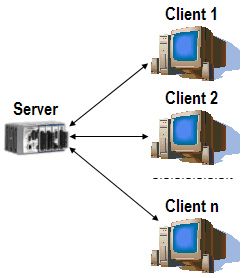
Using the WebSockets technology (which is not part of HTML5 but comes from the W3C WebRTC specification – “Real-time Communication Between Browsers”), you can create two-way communication sessions between multiple browsers and a server. The WebSocket API, and useful libraries built on top of it such as socket.io, provide the means for sending messages to a server and receiving event-driven responses without having to poll the server for a reply.
 HTML game