Here is the discussion forum for this part of the course. Please either post your comments/observations/questions or share your creations.
Let us suggest some topics of discussion:
SUGGESTED TOPICS
- Did you know about DHTML? Did you try one of the best arcade games ever made using Web Technologies: SWARM, written by Brent Silby long before HTML5 and the <canvas> was available? Impressive isn’t it? Have you tried these other games?
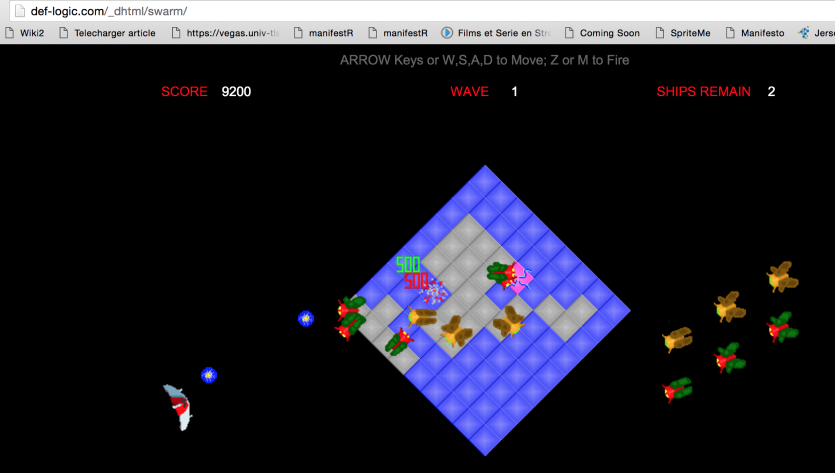
- Do you have any ideas about how we could move animated graphic objects with DHTML, in this pre-HTML5 canvas era?
- If you know of some great demos, games, or remarkable facts that should be added in the HTML game history, please let us know…
- Did you know we could use a gamepad with a browser?
Discussion
Topic: Week 2 / Basic concepts of HTML5 game developmentHide Discussion Add a Post All PostsReturn to all posts
- Vote for this post, there are currently 0 votes
- Follow
using dynamic HTML to move objects
discussion posted about a month ago by bsiwela
there are a couple of ways you can achieve motion (or the appearance of motion) using DHTML. One way is to change the CSS position attribute of HTML elements using mouse over/click events. Another ways would be to simply change the visibility of HTML elements on the page, again using mouse over/click events. CSS allows us to make a lot of changes on the fly. and the effects could be enhanced using Javascripts which can bring in some further logic programming. animated items e.g. GIF animation could be placed in DIVs and their positioning manipulated using CSS as described above. This post is visible to everyone.
 HTML game