Adding sprites to the game framework
We will use the animated woman example and take the sprite utility functions and some predefined values, such as the sprite sheet URL, the size of the sprites, the number of postures, etc., and add it all to one of the examples that used the game framework (the last one from the time based animation lesson (to keep things simple, we did not use the ones with gamepad, etc)).
First, try this example at JsBin
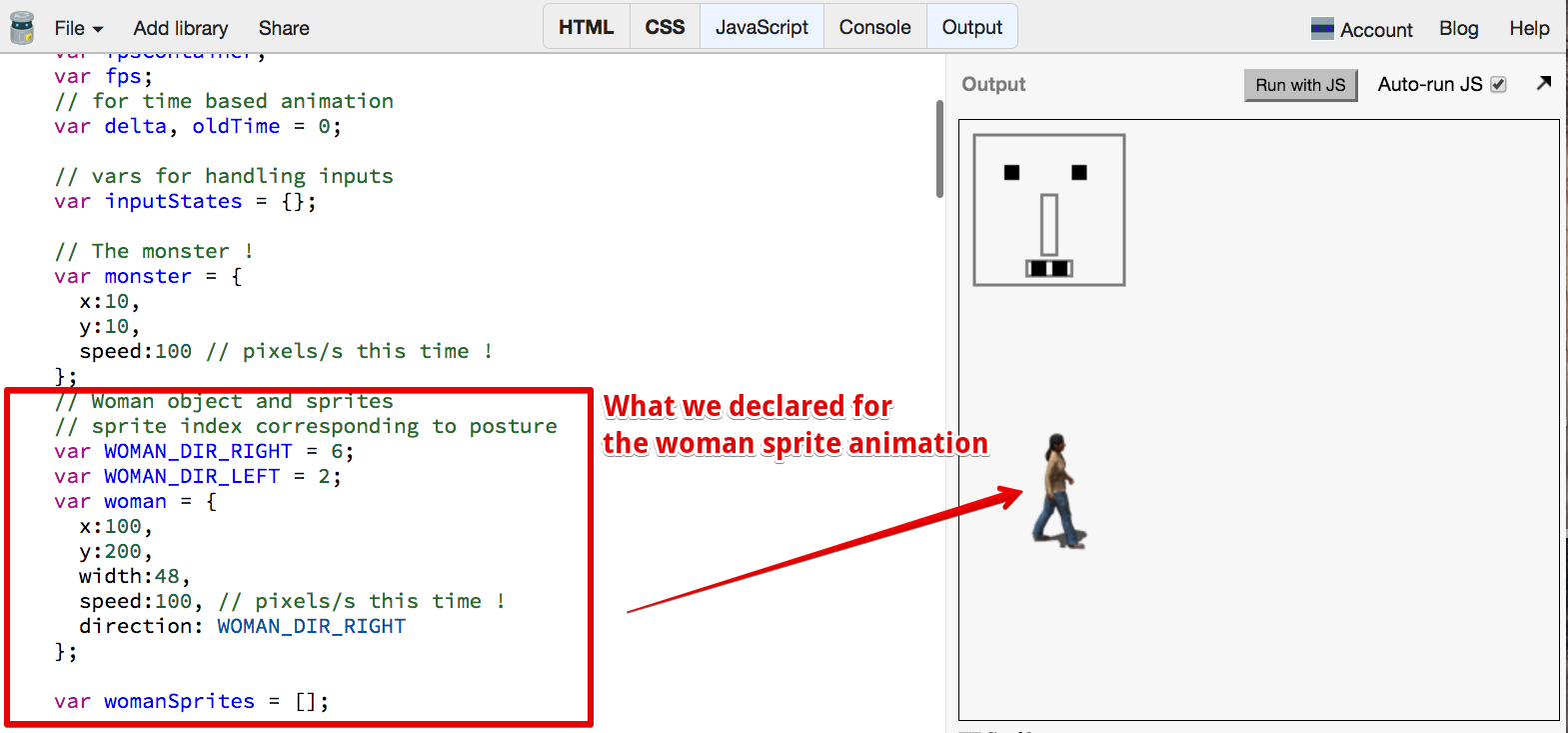
how to add sprites to the game framework…
- We declare a woman object, similar to the monster object, with x, y, speed, width properties. We add a direction property that corresponds to a posture’s index (so direction = 2 corresponds to the sprite animation for the woman moving to the left, whereas direction = 6 corresponds to the posture of the woman moving to the right…)
- We add the Sprite and SpriteImage objects to the game framework,
- We write a loadAssets(callback) function which: a) loads the sprite sheet, b) extracts all the woman sprites and builds the womanSprites array, and c) calls the callback function passed as a parameter once finished,
- We call the loadAssets function from the game framework start function, and we start the animation loop only when the loadAssetsfunction has completed loading and extracting the sprites. In a real game the loadAssets function would also load the sounds, and perhaps other sprite sheets or resources etc. In this function you could use the BufferLoader utility for loading multiple resources asynchronously, as discussed during week 1.
Source code extract:
- // Inits
- window.onload = function init() {
- var game = new GF();
- game.start();
- };
- // GAME FRAMEWORK STARTS HERE
- var GF = function(){
- …
- // Woman object and sprites
- // sprite index corresponding to posture
- var WOMAN_DIR_RIGHT = 6;
- var WOMAN_DIR_LEFT = 2;
- var woman = {
- x:100,
- y:200,
- width:48,
- speed:100, // pixels/s this time!
- direction: WOMAN_DIR_RIGHT
- };
- var womanSprites = [];
- var mainLoop = function(time){
- …
- // Draw a woman moving left and right
- womanSprites[woman.direction].draw(ctx, woman.x, woman.y);
- updateWomanPosition(delta);
- …
- };
- function updateWomanPosition(delta) {
- // check collision on left or right
- if(((woman.x+woman.width) > canvas.width) || (woman.x < 0)) {
- // inverse speed
- woman.speed = –woman.speed;
- }
- // change sprite direction
- if(woman.speed >= 0) {
- woman.direction = WOMAN_DIR_RIGHT;
- } else {
- woman.direction = WOMAN_DIR_LEFT;
- }
- woman.x += calcDistanceToMove(delta, woman.speed);
- }
- /*—————————————*/
- /* SPRITE UTILITY FUNCTIONS */
- /*—————————————*/
- function SpriteImage(img, x, y, width, height) {
- …
- this.draw = function(ctx, xPos, yPos, scale) {…};
- }
- function Sprite() {
- …
- this.extractSprites = function(…) {…};
- this.drawStopped = function(ctx, x, y) {…};
- this.draw = function(ctx, x, y) {…};
- this.setNbImagesPerSecond = function(nb) {…};
- }
- /*—————————————*/
- /* EN OF SPRITE UTILITY FUNCTIONS */
- /*—————————————*/
- var loadAssets = function(callback) {
- var SPRITESHEET_URL = “http://i.imgur.com/3VesWqx.png”;
- var SPRITE_WIDTH = 48;
- var SPRITE_HEIGHT = 92;
- var NB_POSTURES=8;
- var NB_FRAMES_PER_POSTURE = 13;
- // load the spritesheet
- var spritesheet = new Image();
- spritesheet.src = SPRITESHEET_URL;
- // Called when the spritesheet has been loaded
- spritesheet.onload = function() {
- // Create woman sprites
- for(var i = 0; i < NB_POSTURES; i++) {
- var sprite = new Sprite();
- sprite.extractSprites(spritesheet, NB_POSTURES, (i+1),
- NB_FRAMES_PER_POSTURE,
- SPRITE_WIDTH, SPRITE_HEIGHT);
- sprite.setNbImagesPerSecond(20);
- womanSprites[i] = sprite;
- }
- // call the callback function passed as a parameter,
- // we’re done with loading assets and building the sprites
- callback();
- };
- };
- var start = function(){
- …
- // Load sounds and images, then when this is done, start the mainLoop
- loadAssets(function() {
- // We enter here only when all assets have been loaded
- requestAnimationFrame(mainLoop);
- });
- };
- …
- };
 HTML game
