A small sprite animation framework
Introduction
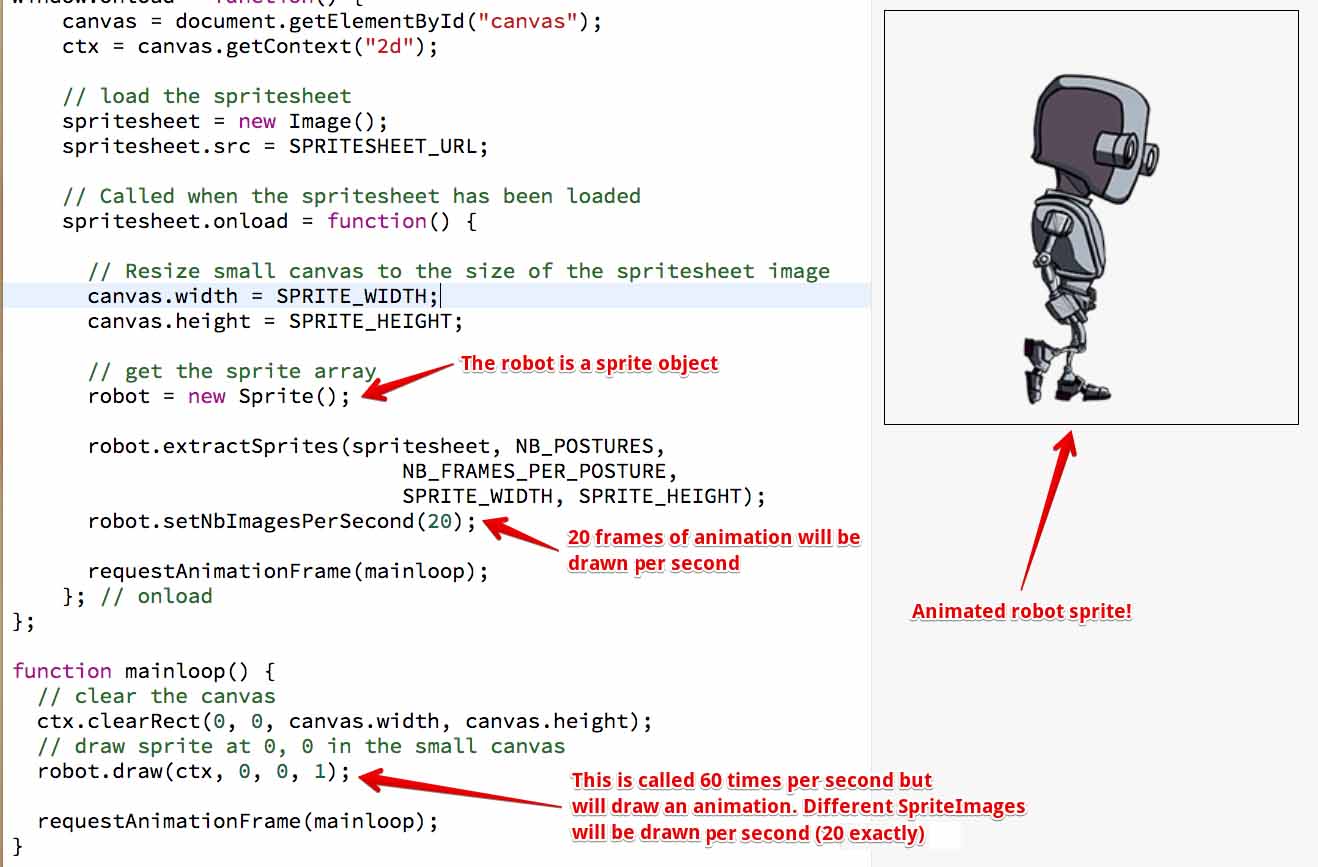
Now that we have presented the principle of sprite extraction (sprites as sub-images of a single composite image), let’s write a small sprite animation framework.
Here is how you would create and animate a sprite:
- var robot;
- window.onload = function() {
- canvas = document.getElementById(“canvas”);
- ctx = canvas.getContext(“2d”);
- // Load the spritesheet
- spritesheet = new Image();
- spritesheet.src = SPRITESHEET_URL;
- // Called when the spritesheet has been loaded
- spritesheet.onload = function() {
- …
- robot = new Sprite();
- // 1 is the posture number in the sprite sheet. We have
- // only one with the robot.
- robot.extractSprites(spritesheet, NB_POSTURES, 1,
- NB_FRAMES_PER_POSTURE,
- SPRITE_WIDTH, SPRITE_HEIGHT);
- robot.setNbImagesPerSecond(20);
- requestAnimationFrame(mainloop);
- }; // onload
- };
- function mainloop() {
- // Clear the canvas
- ctx.clearRect(0, 0, canvas.width, canvas.height);
- // draw sprite at 0, 0 in the small canvas
- robot.draw(ctx, 0, 0, 1);
- requestAnimationFrame(mainloop);
- }
Try the example on JSBin that uses this framework first! Experiment by editing line 20: robot.setNbImagesPerSecond(20); changing the value of the parameter and observing the result.
THE SPRITEIMAGE object AND SPRITE MODELS
In this small framework we use “SpriteImage “, a JS object we build to represent one sprite image. Its properties are: the global sprite sheet to which it belongs, its position in the sprite sheet, and its size. It also has a draw method for drawing the sprite image at an xPos, yPos position, and at anappropriate size.
- function SpriteImage(img, x, y, width, height) {
- this.img = img; // the whole image that contains all sprites
- this.x = x; // x, y position of the sprite image in the whole image
- this.y = y;
- this.width = width; // width and height of the sprite image
- this.height = height;
- this.draw = function(ctx, xPos, yPos, scale) {
- ctx.drawImage(this.img,
- this.x, this.y, // x, y, width and height of img to extract
- this.width, this.height,
- xPos, yPos, // x, y, width and height of img to draw
- this.width*scale, this.height*scale);
- };
- }
We define the Sprite model. This is the one we used to create the small robot in the previous example.
- A Sprite is defined by an array of SpriteImage objects.
- It has a method for extracting all SpriteImages from a given sprite sheet and filling the above array.
- It has a draw method which will draw the current SpriteImage. A Sprite is an animated object, therefore, calling draw multiple times will involve an automatic change of the current SpriteImage being drawn.
- The number of different images to be drawn per second is a parameter of the sprite.
Here is the code of the Sprite model:
- function Sprite() {
- this.spriteArray = [];
- this.currentFrame = 0;
- this.delayBetweenFrames = 10;
- this.extractSprites = function(spritesheet,
- nbPostures, postureToExtract,
- nbFramesPerPosture,
- spriteWidth, spriteHeight) {
- // number of sprites per row in the spritesheet
- var nbSpritesPerRow = Math.floor(spritesheet.width / spriteWidth);
- // Extract each sprite
- var startIndex = (postureToExtract -1) * nbFramesPerPosture;
- var endIndex = startIndex + nbFramesPerPosture;
- for(var index = startIndex; index < maxIndex; index++) {
- // Computation of the x and y position that corresponds to the sprite
- // index
- // x is the rest of index/nbSpritesPerRow * width of a sprite
- var x = (index % nbSpritesPerRow) * spriteWidth;
- // y is the divisor of index by nbSpritesPerRow * height of a sprite
- var y = Math.floor(index / nbSpritesPerRow) * spriteHeight;
- // build a spriteImage object
- var s = new SpriteImage(spritesheet, x, y, spriteWidth, spriteHeight);
- this.spriteArray.push(s);
- }
- };
- this.then = performance.now();
- this.totalTimeSinceLastRedraw = 0;
- this.draw = function(ctx, x, y) {
- // Use time based animation to draw only a few images per second
- var now = performance.now();
- var delta = now – this.then;
- // Draw currentSpriteImage
- var currentSpriteImage = this.spriteArray[this.currentFrame];
- // x, y, scale. 1 = size unchanged
- currentSpriteImage.draw(ctx, x, y, 1);
- // if the delay between images is elapsed, go to the next one
- if (this.totalTimeSinceLastRedraw > this.delayBetweenFrames) {
- // Go to the next sprite image
- this.currentFrame++;
- this.currentFrame %= this.spriteArray.length;
- // reset the total time since last image has been drawn
- this.totalTimeSinceLastRedraw = 0;
- } else {
- // sum the total time since last redraw
- this. totalTimeSinceLastRedraw += delta;
- }
- this.then = now;
- };
- this.setNbImagesPerSecond = function(nb) {
- // delay in ms between images
- this.delayBetweenFrames = 1000 / nb;
- };
- }
Same example but with the walking woman sprite sheet
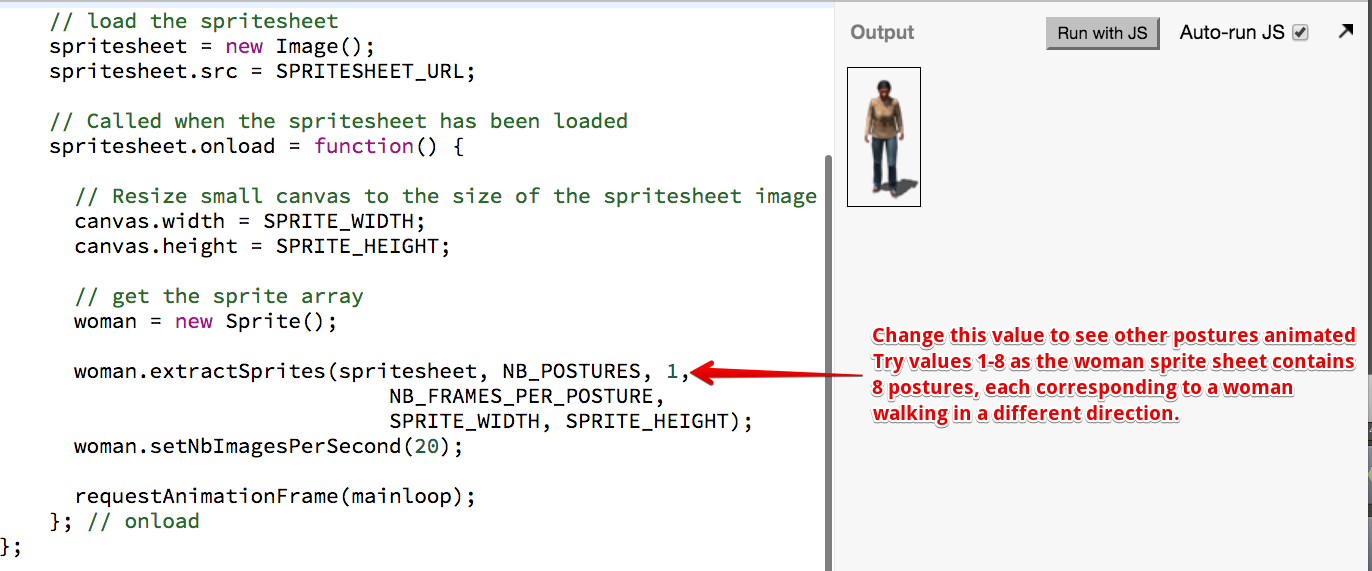
This time we have changed the parameters of the sprites and sprite sheet. Now you can select the index of the posture to extract: the woman sprite sheet has 8 different postures, so you can call:
- womanDown.extractSprites(spritesheet, NB_POSTURES, 1,
- NB_FRAMES_PER_POSTURE,
- SPRITE_WIDTH, SPRITE_HEIGHT);
- womanDiagonalBottomLeft.extractSprites(spritesheet, NB_POSTURES, 2,
- NB_FRAMES_PER_POSTURE,
- SPRITE_WIDTH, SPRITE_HEIGHT);
- womanLeft.extractSprites(spritesheet, NB_POSTURES, 3,
- NB_FRAMES_PER_POSTURE,
- SPRITE_WIDTH, SPRITE_HEIGHT);
- // etc…
Moving the sprites, stopping the sprites
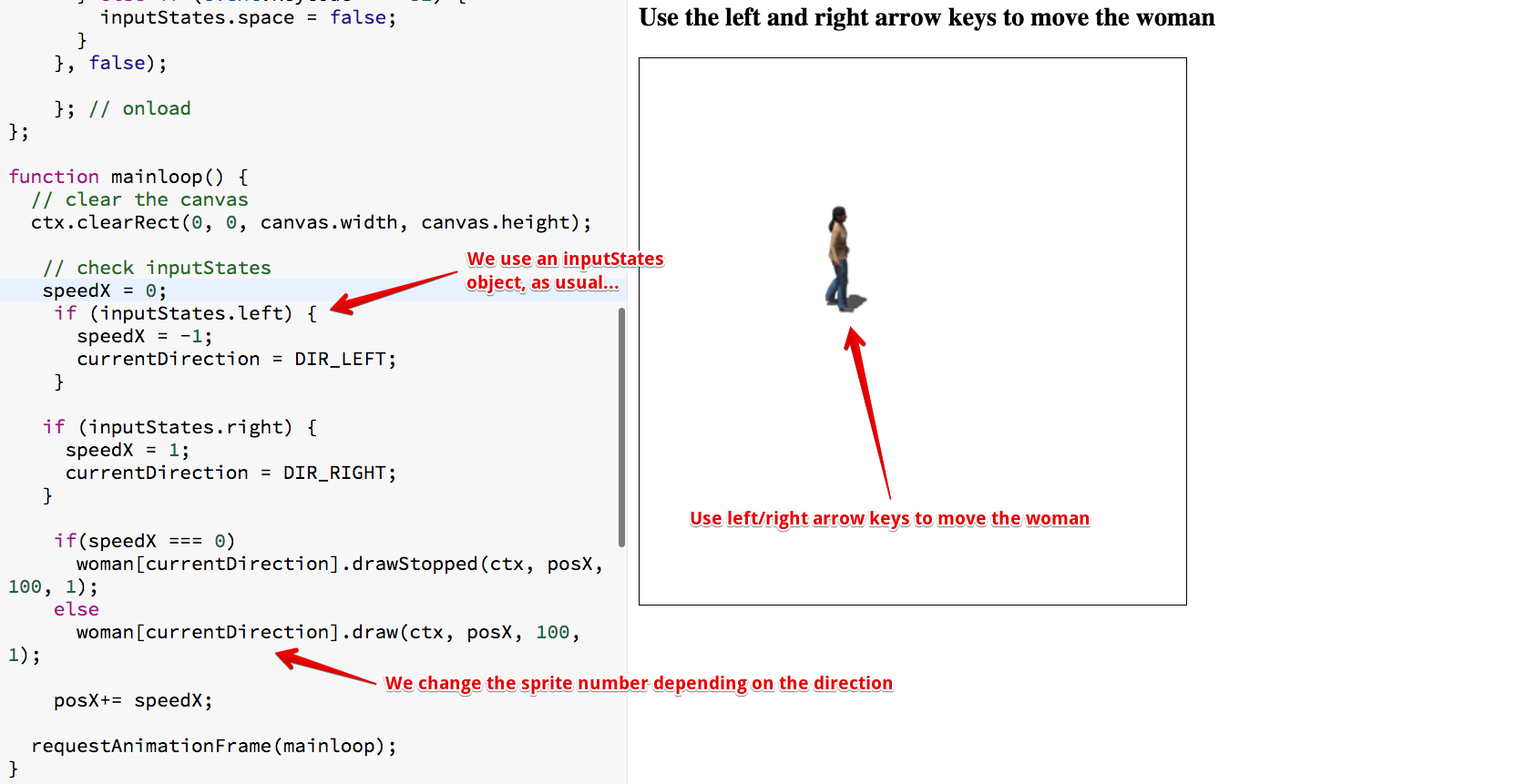
As usual, we used key listeners, an inputStates global object, and this time we created 8 woman sprites, one for each direction.
Notice that we added a drawStopped method in the Sprite model in order to stop animating the woman when no key is pressed for moving her.
 HTML game